End the lesson
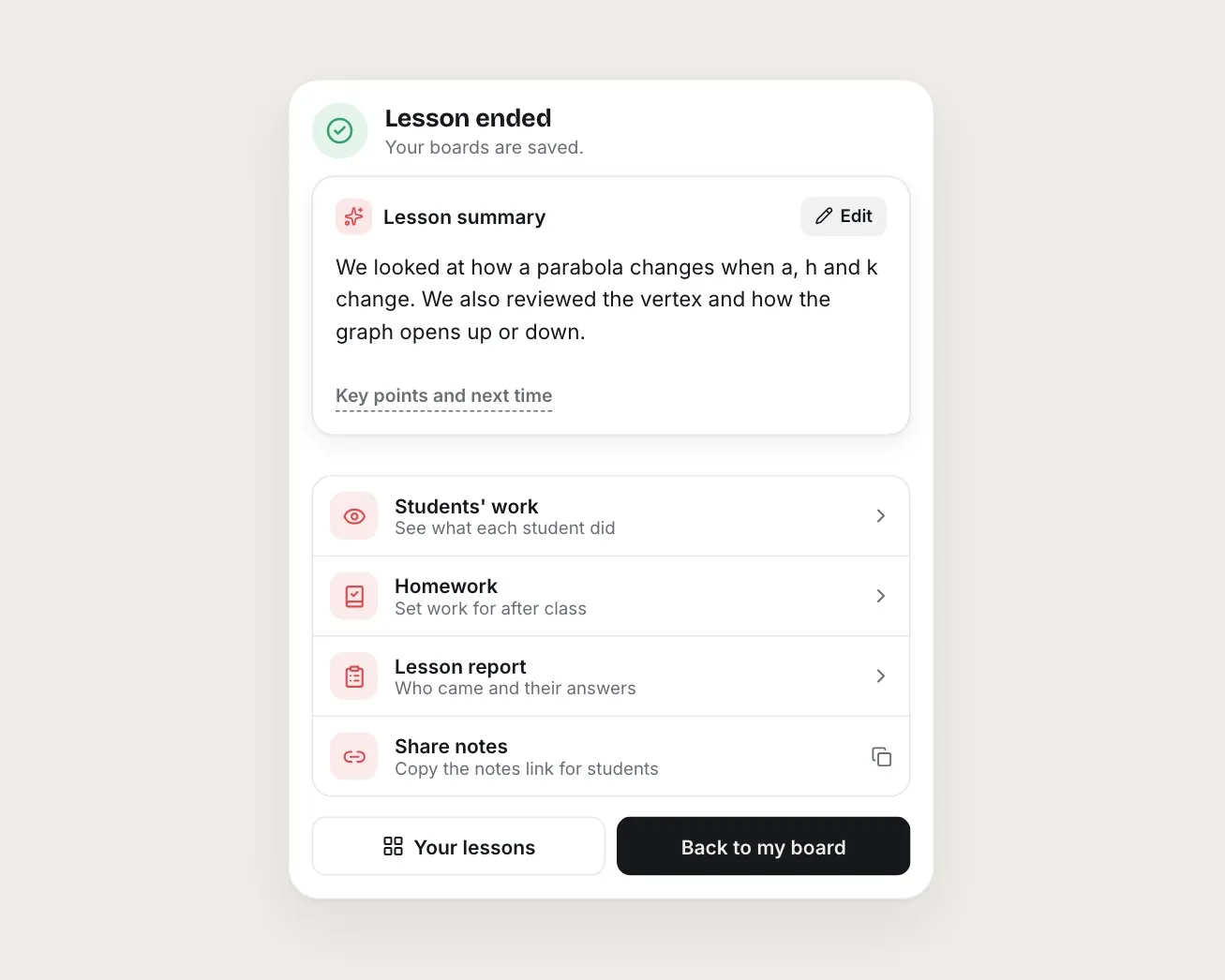
Press End lesson. Everyone leaves the live lesson. Each student sees Open my board, to keep working on their own copy, and Open lesson notes. Under the ... button on your card, copy the notes link for anyone who missed the lesson, or open the lesson report.
Students come back any time
When the lesson ends, students get their own link, to copy or save as a picture with its QR code. No account needed: it opens their board and the notes on any phone or computer, and joins the next lesson when you go live. On a shared computer it is theirs only until the tab is closed. Lost it? Open the student in Students and press Their link.
Lock after the lesson
The Lock switch at the bottom of your board shows if students can come back and keep working, each on their own copy. Turn it on and they only see the notes. Turn it off again and their work is still there.
Check the summary
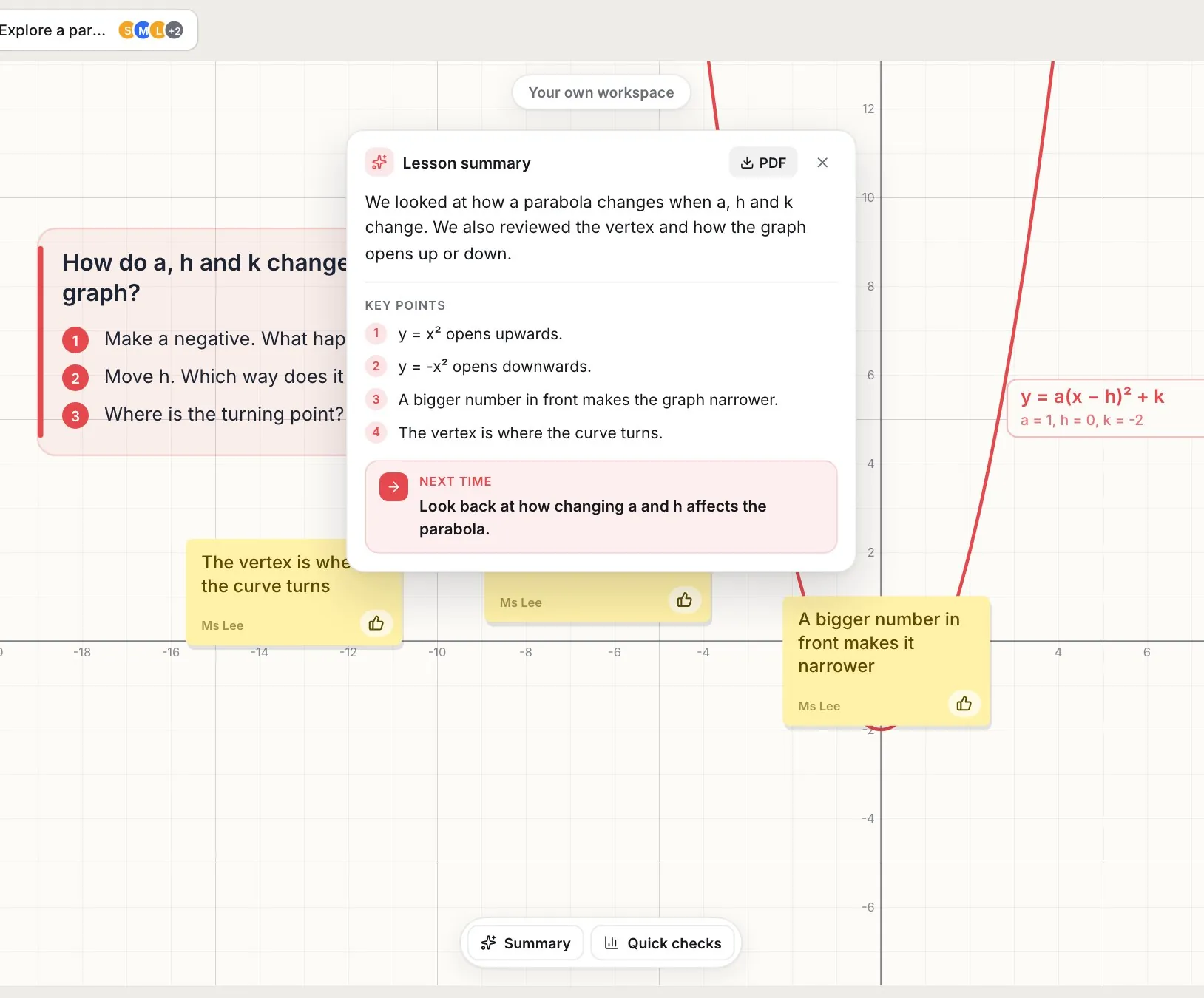
A short summary of the lesson is written as it ends: what it was about, the key points and what to practise next. Press Edit to change anything before students read it.
Read and download
Students see the summary first, then every board as it was at the end. Quick checks shows each question and how the class answered. PDF saves it all, summary first.
See the lesson report
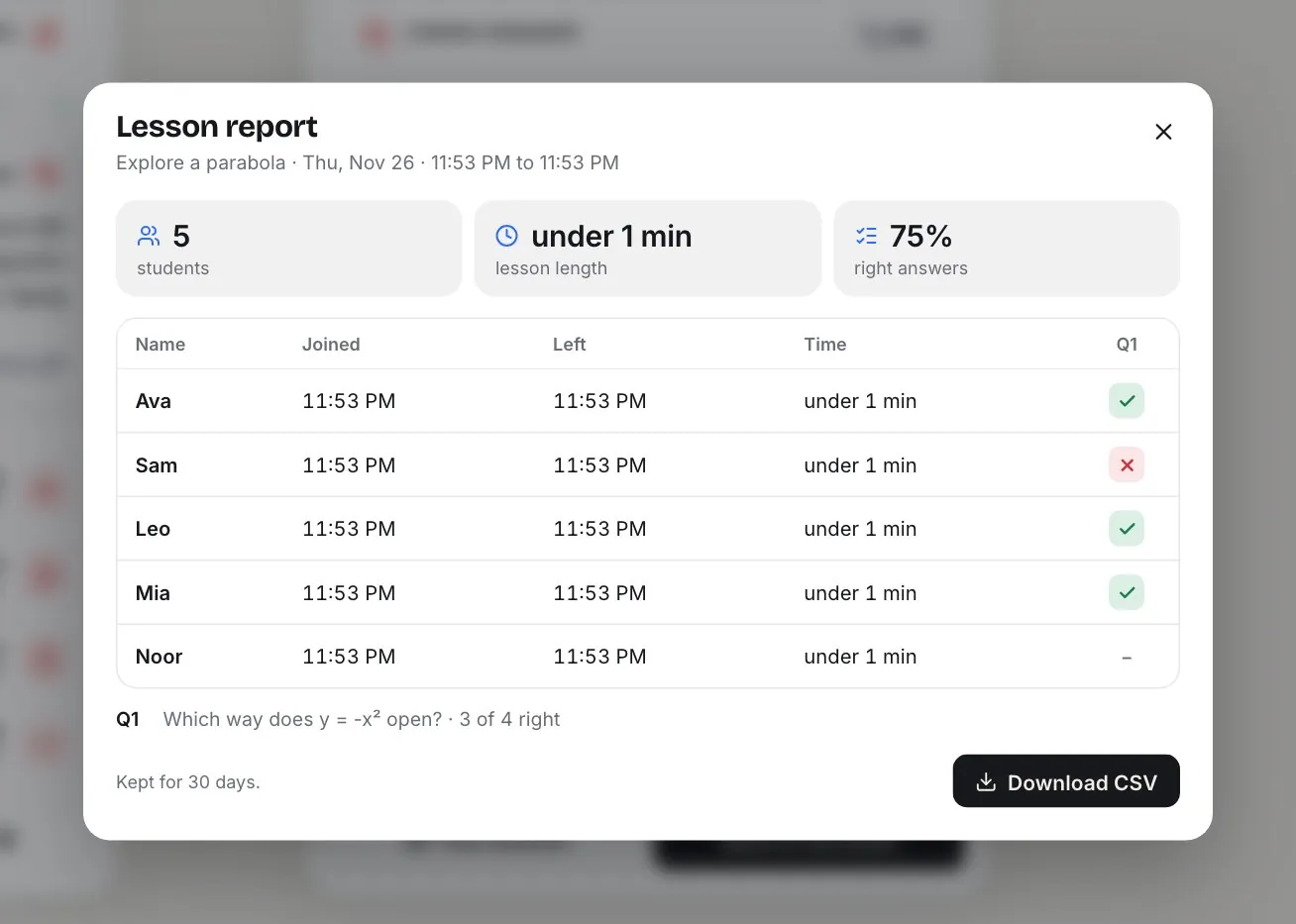
Press Lesson report to see who joined, when they came and left, how long they stayed and each answer they gave. Download CSV opens it in any spreadsheet. During a lesson, find it in Class settings.
Find them later
On Your lessons, press the three dots on a lesson and choose Past lessons. Every time you taught it live is there, on any device you sign in on. Tap one to read its summary and see who came, then press Open board for its notes and report.
See students' work
Open the lesson and press All on the strip at the top. Every student's board shows as they left it, side by side. Click one to open it.
How long they last
Notes and reports stay for 30 days. A lesson with a password still asks for it.