Open your notes
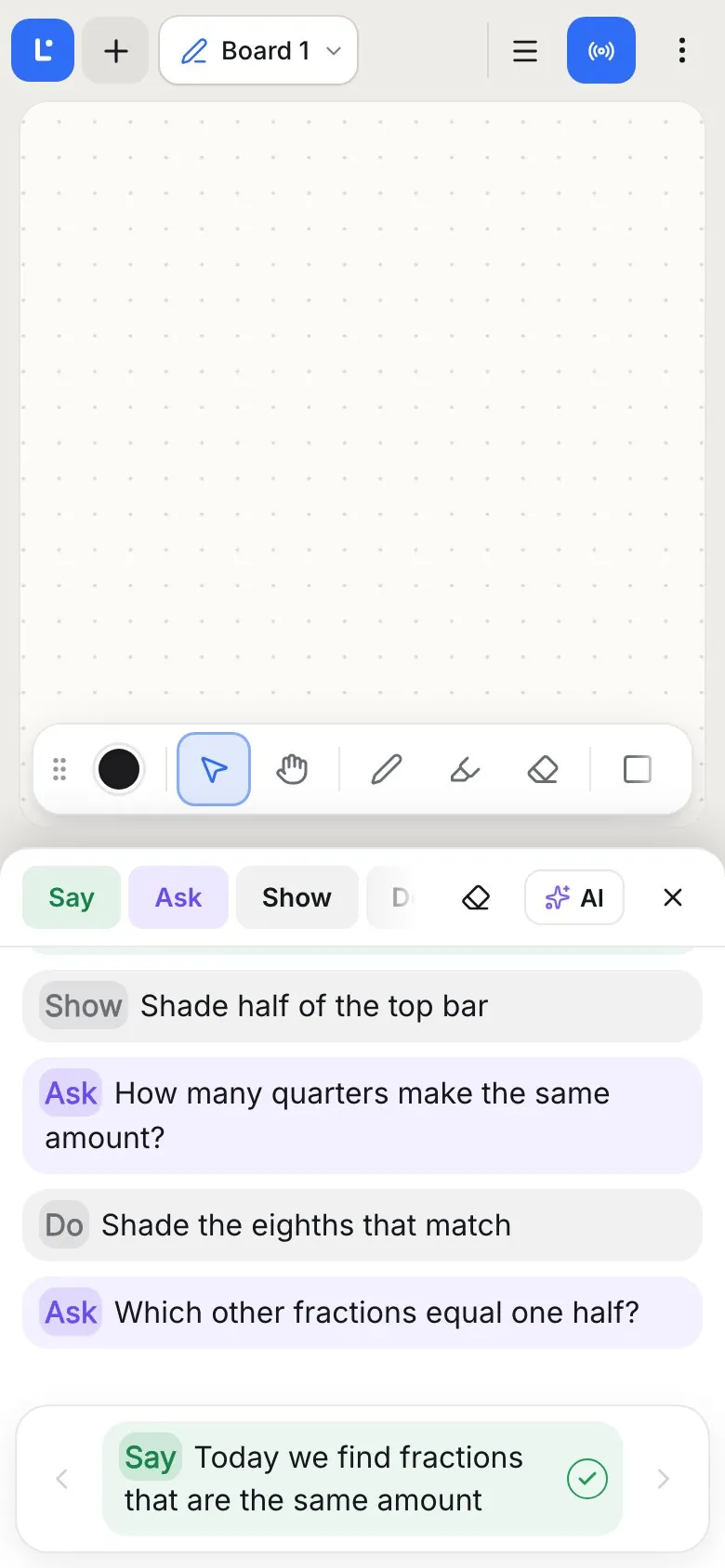
Press the three dots at the top right and choose Notes. On a computer they open beside the board; on a phone, along the bottom.
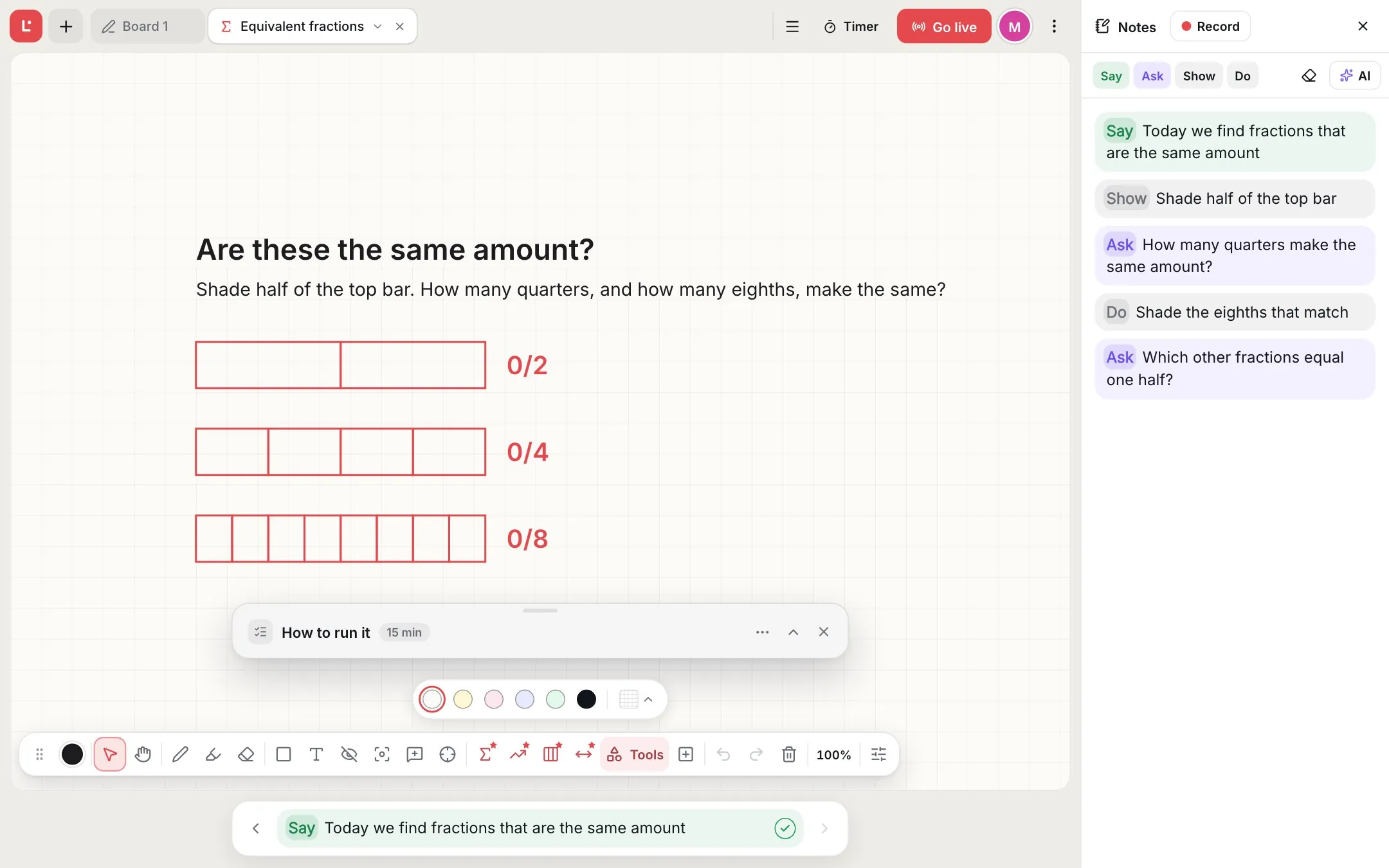
Notes for each tab
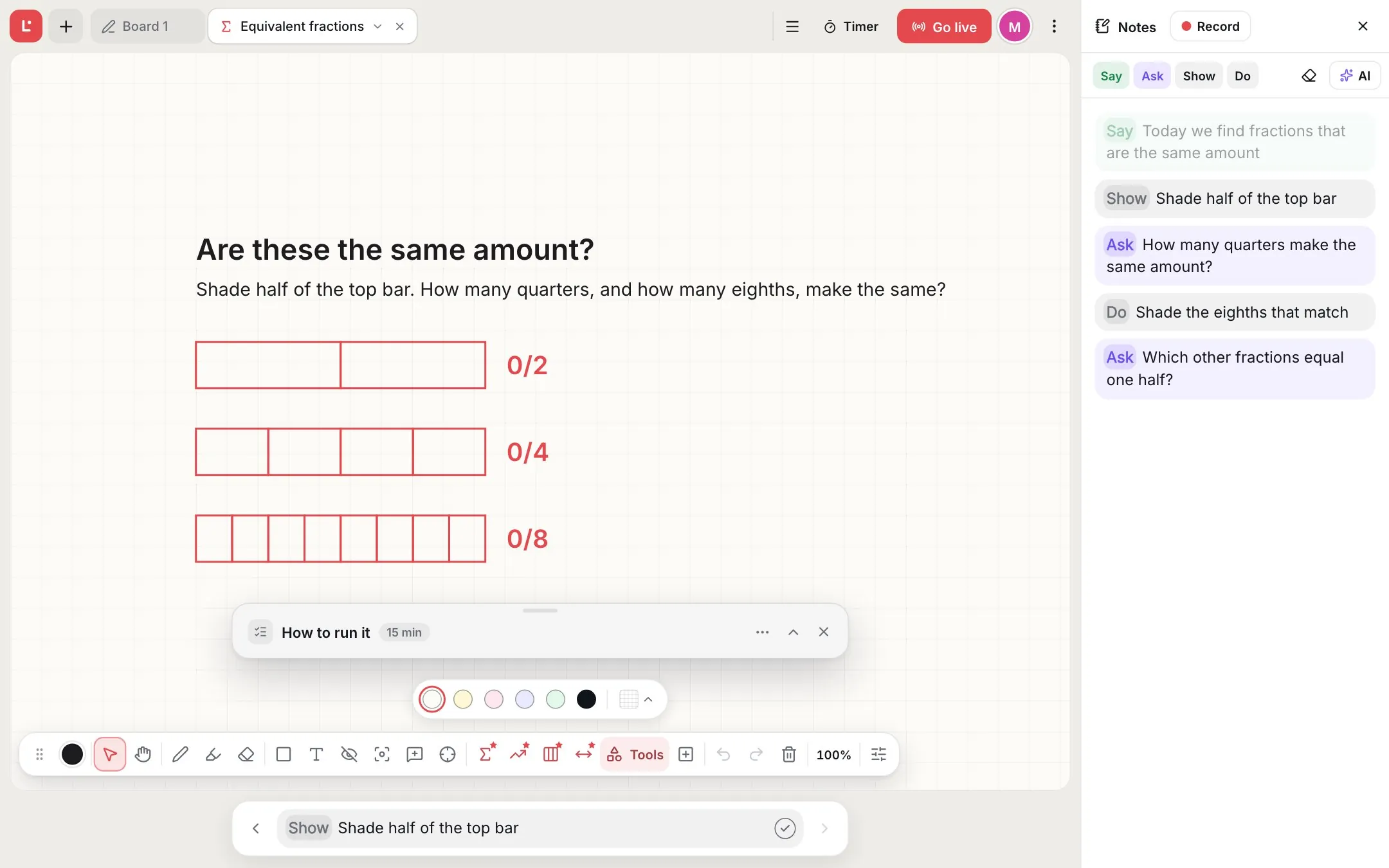
Every tab has its own notes, so moving to the next tab brings up the next part of your plan.
Write your steps
Each line is one step. Tap Say, Ask, Show or Do to give a step its label, so you can see at a glance what each one is. The eraser clears a tab's notes, and Undo brings them back.
Let AI help
Press AI to write notes for this tab, plan every tab that has none, tidy what you wrote, or add questions to ask. Undo puts your own notes back.
Teach from them
The step to do now sits in a bar under the board. Tick it and the next one comes up. The arrows move between tabs; a clicker's Page Up and Page Down work too.
On a phone
The notes open as a sheet along the bottom, with the step to do now at the foot.
On every device
When you're signed in, your notes follow you to your other computers and your phone.