Open the Tutor tab
On Your lessons, choose the Tutor tab.
Fill it in
Add a photo, your name, one line about what you teach and your subjects. Pick a colour and your link. The preview on the right shows what students see as you type.
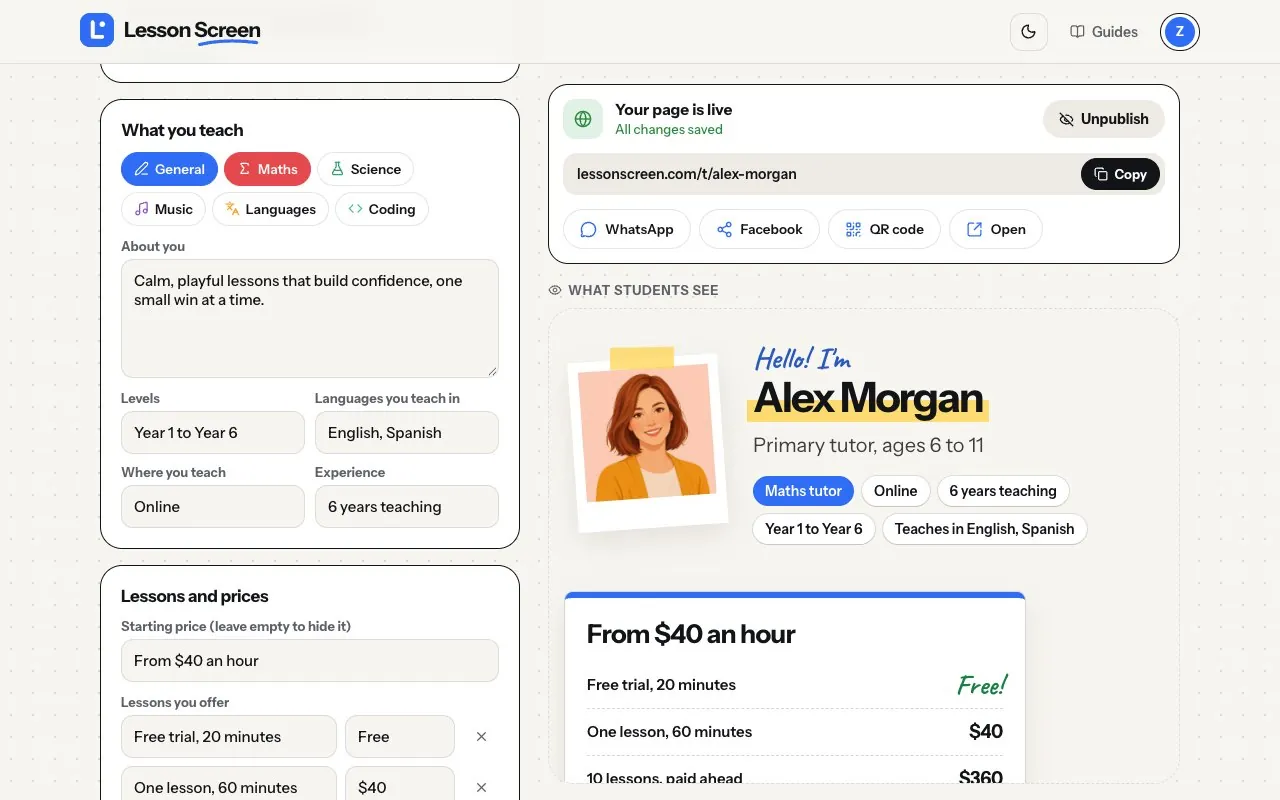
Lessons and prices
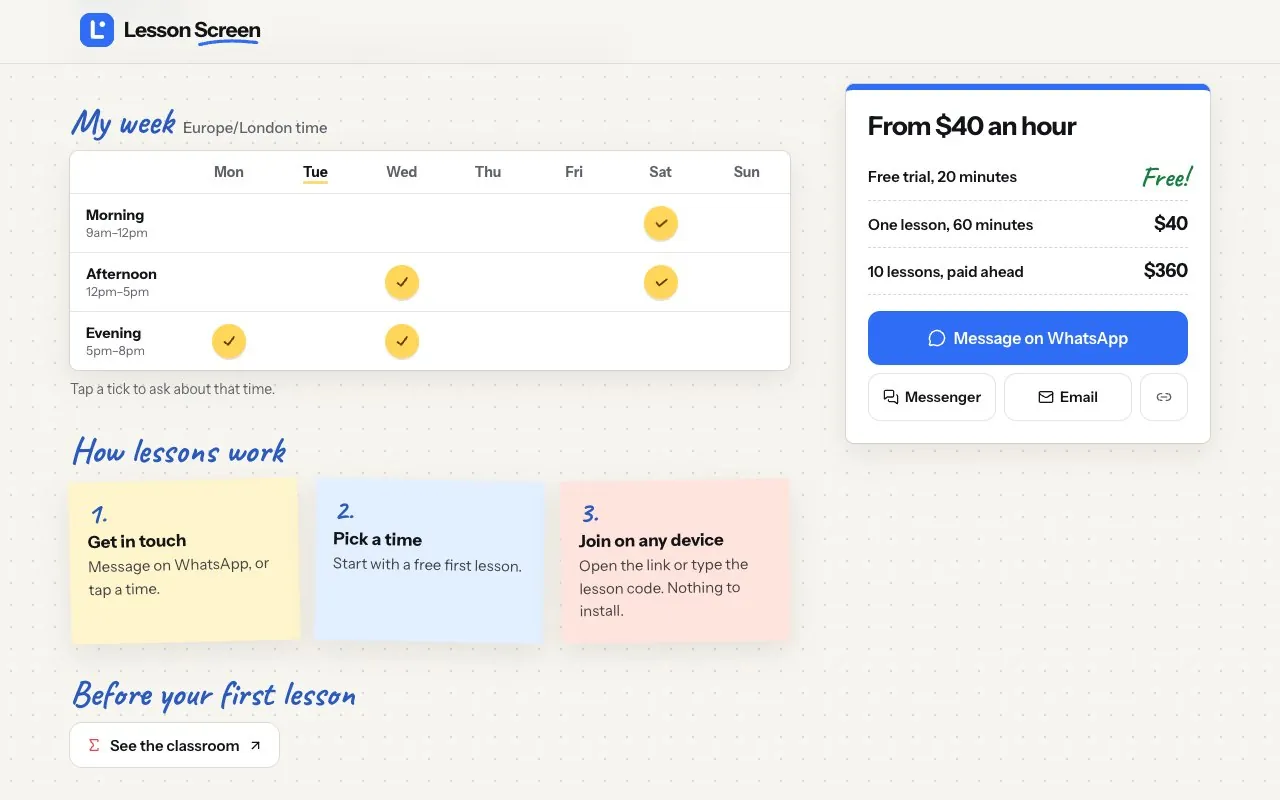
Add up to six lessons with a price each, like a free trial, a single lesson and a pack. Write Free as the price to make it stand out.
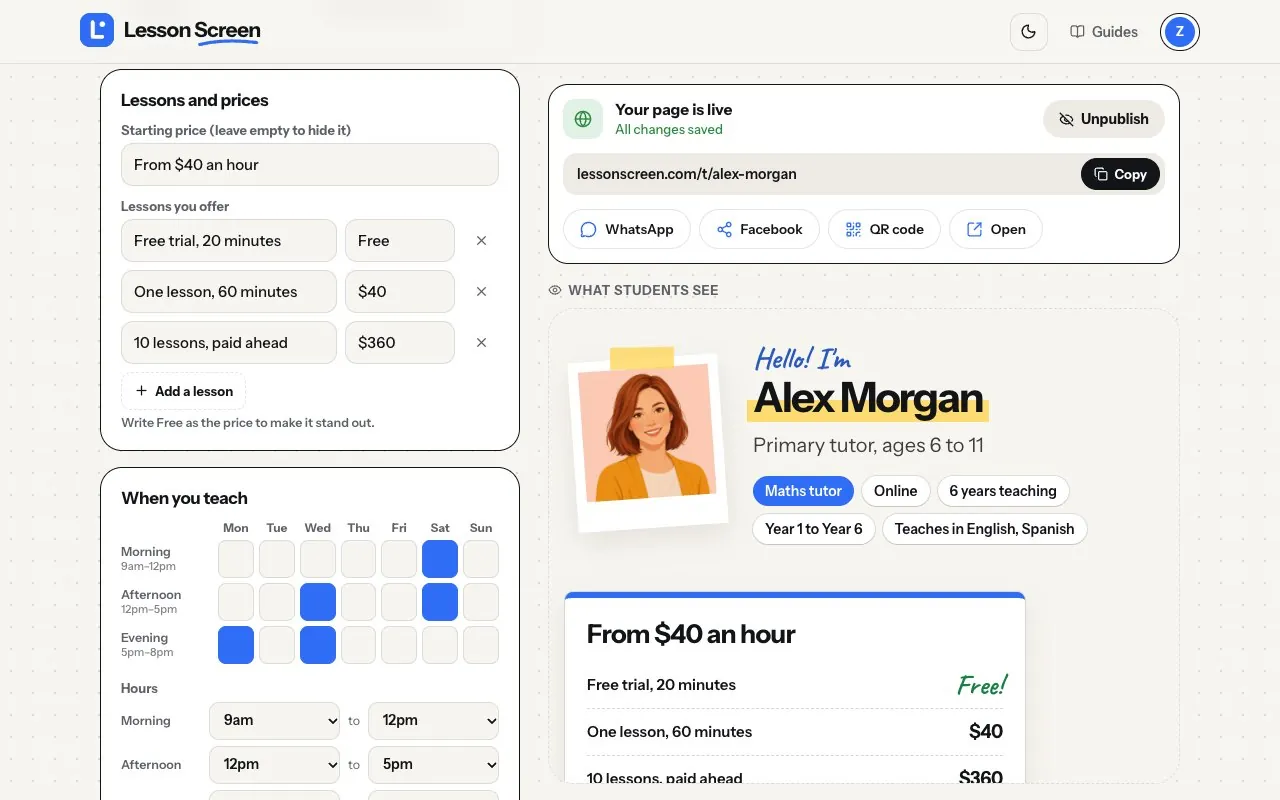
Publish and share
Press Publish. Copy your link, send it on WhatsApp or Facebook, or print the QR code. When you paste the link in a chat, it shows your photo, name and subjects.
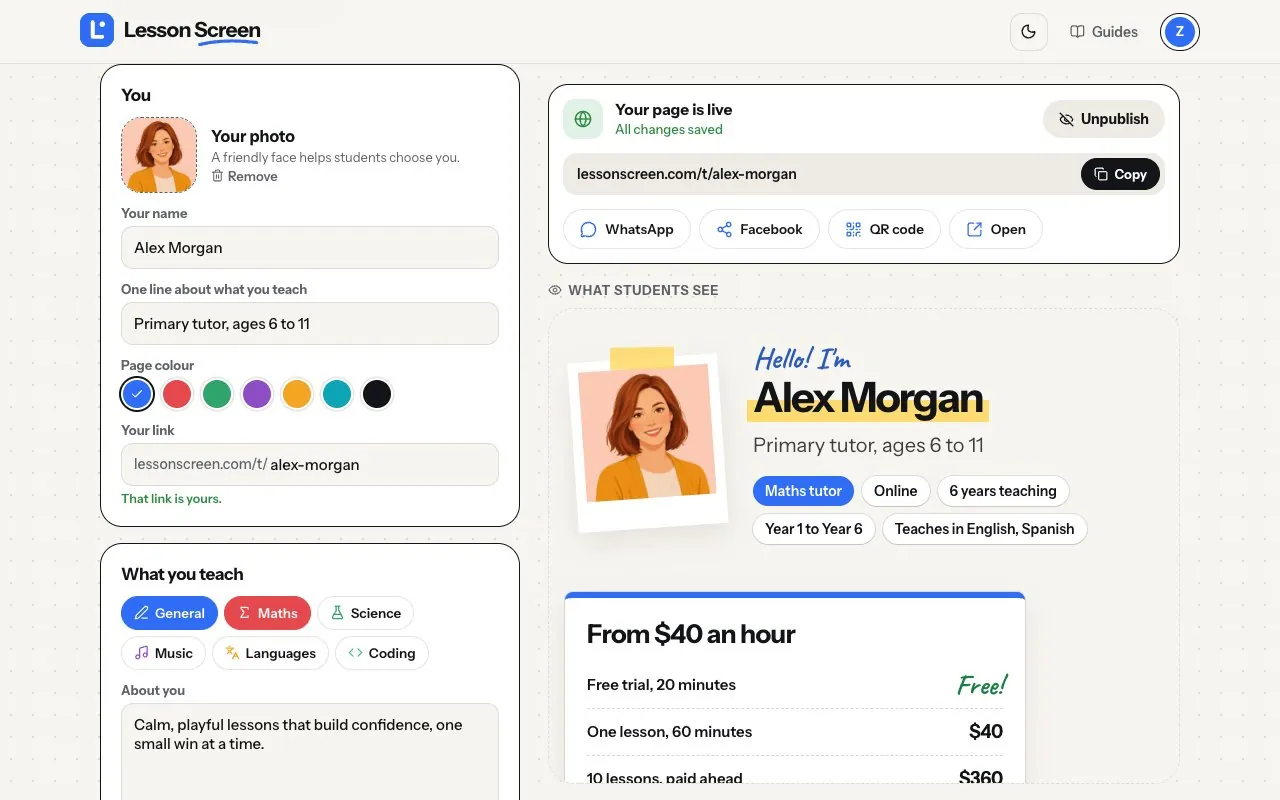
What students see
Your page opens on any phone or computer, with no sign-in. Students see your lessons and prices next to one button to message you.
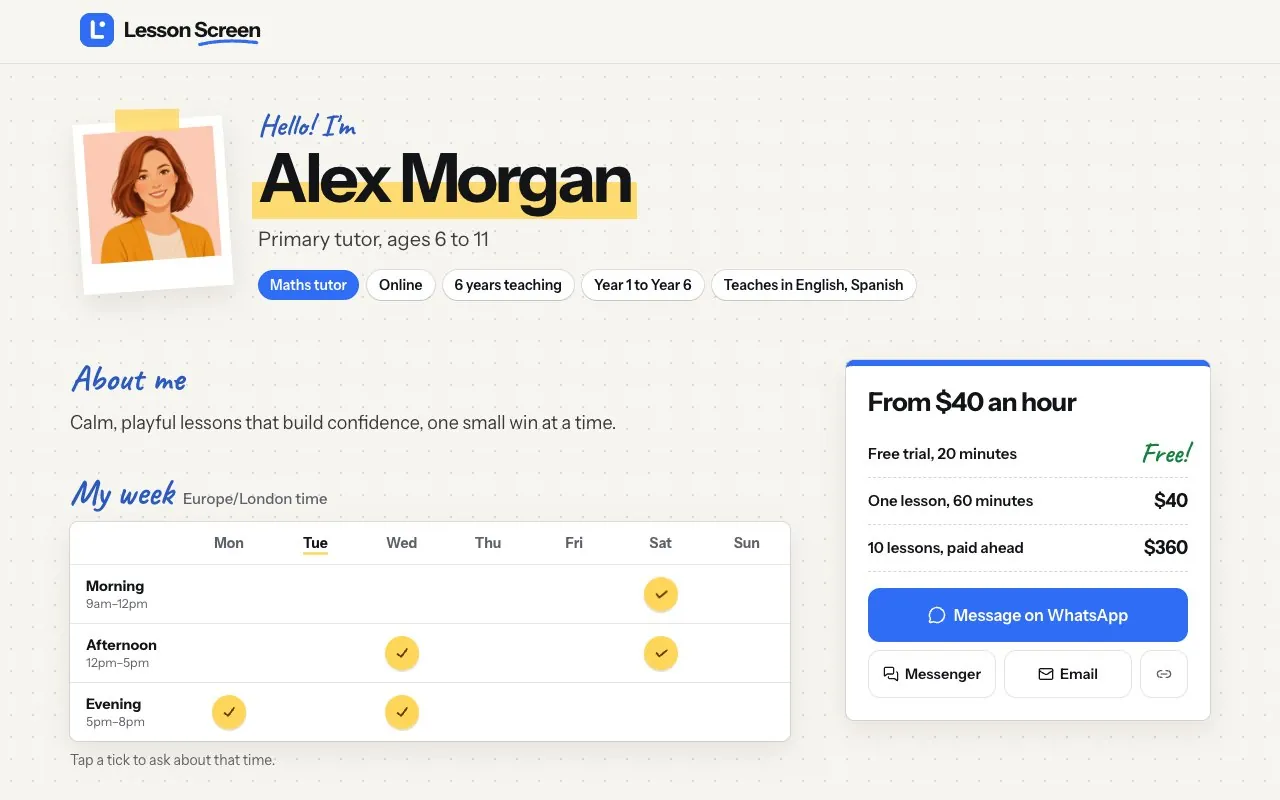
Students tap a time
Tapping a tick in your week opens WhatsApp, a text or an email to you, with the question already written. Students with a lesson code can join from the bottom of the page.
See who visits
With Pro, the Tutor tab shows your visits, QR scans and taps on your contact buttons for the last 30 days, and where visitors came from. Your own visits don't count.