Open breakout rooms
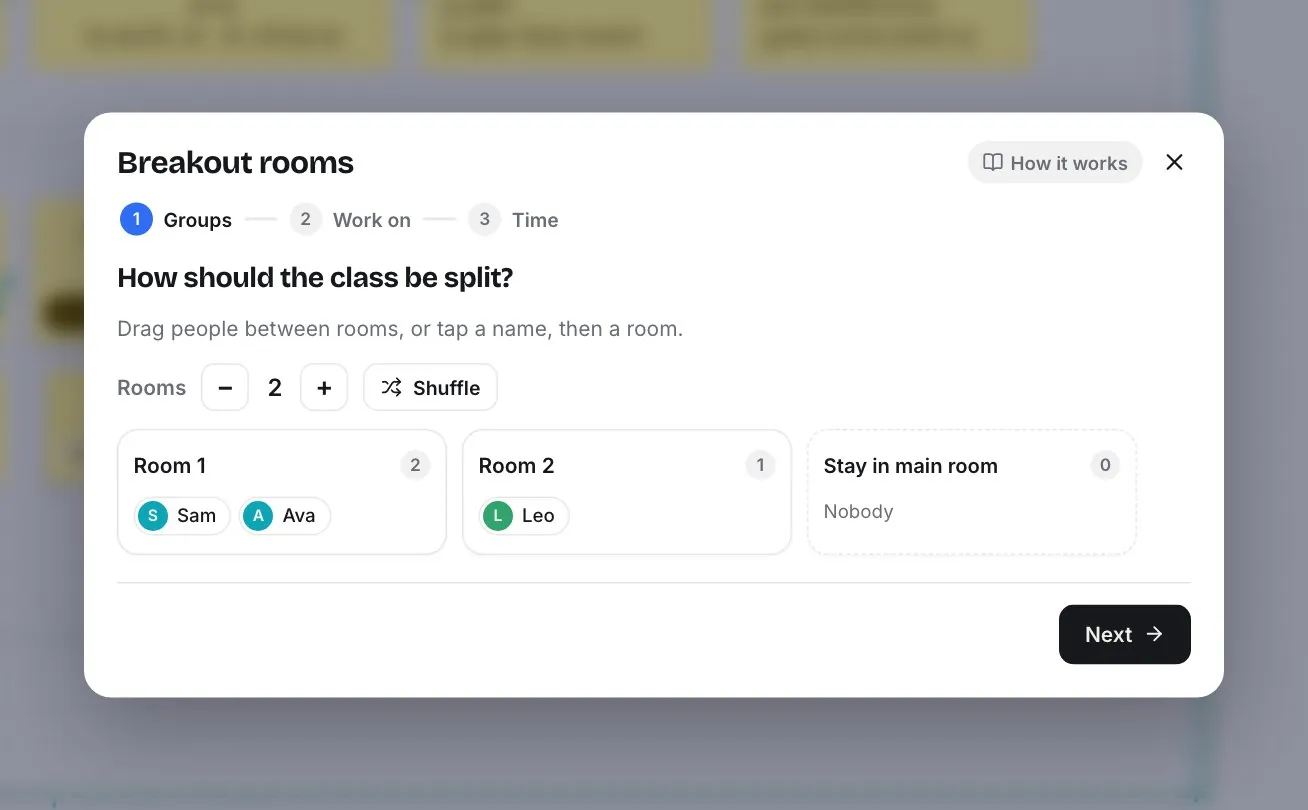
Open Class settings (the person with a gear, top right) and choose Breakout rooms. Set how many rooms with + and −, then press Shuffle to share students out, or drag a name into a room. Tap a room's name to rename it.
Choose what they work on
Each room starts with this tab, all your tabs or an empty board. Every group gets its own copy, so your tabs stay as they are.
Set the time
Pick how long they have, or no limit, and press Open rooms. Students who join late wait in the main room until you move them in.
Visit and help
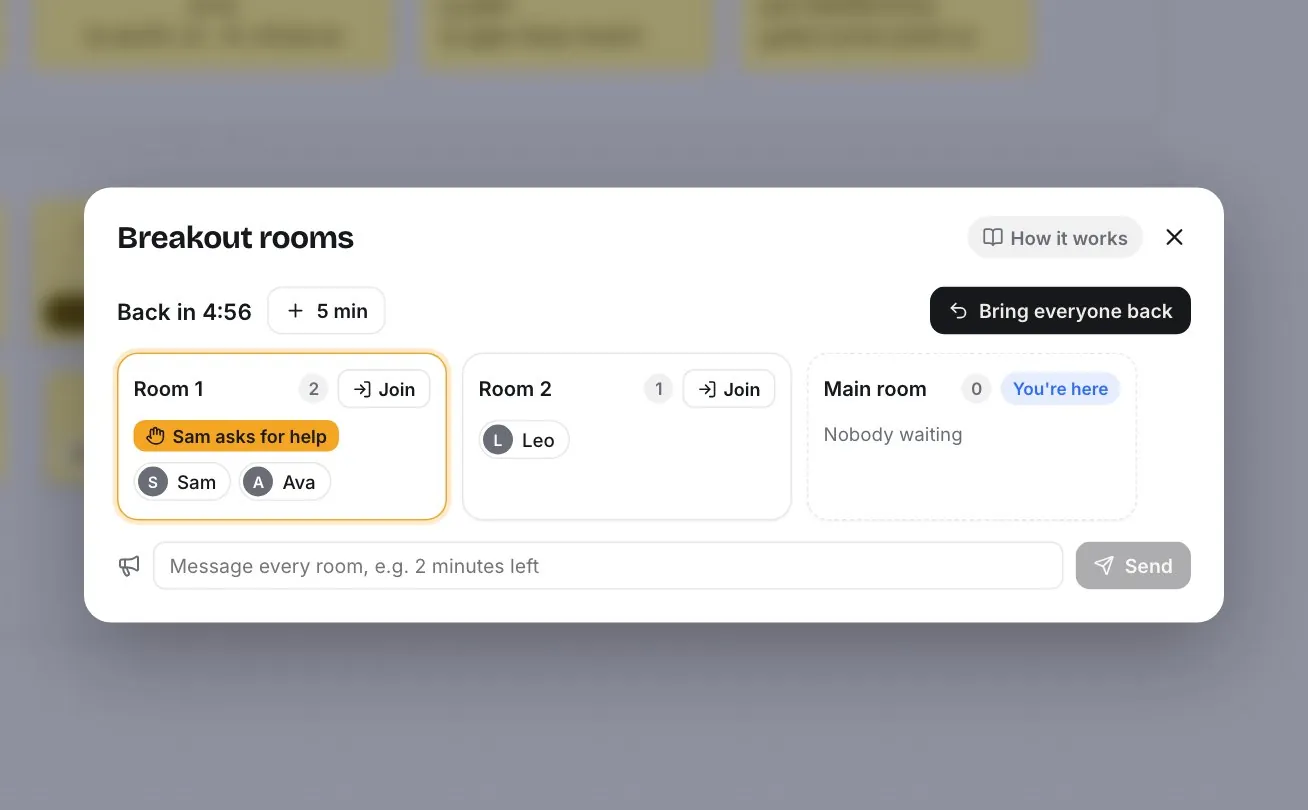
Press Join on any room to drop in, and Main room to come back. Type a message to send to every room, like 2 minutes left. When a group presses Ask for help, the bar at the top tells you.
Bring everyone back
Press + 5 min if they need longer, or Bring everyone back to finish early. When the time runs out, everyone comes back on their own.