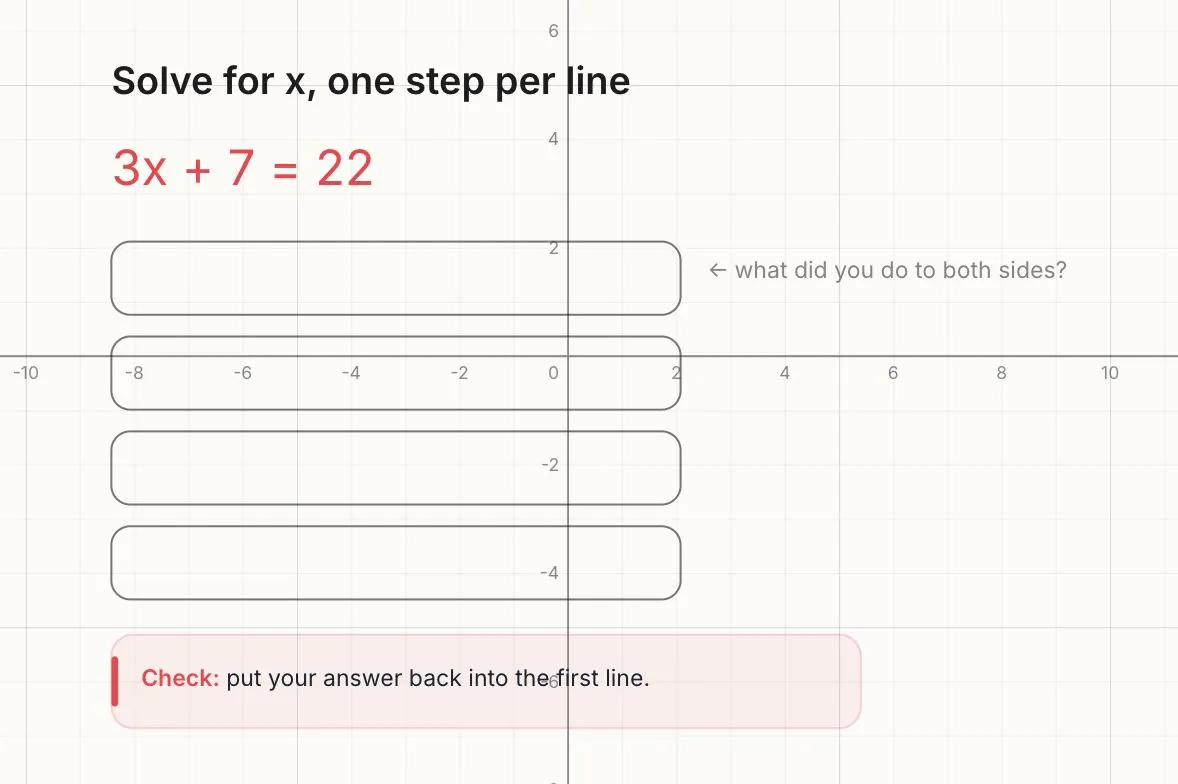
Solve an equation
Step by step, doing the same to both sides
Use this starter
Measure an angle
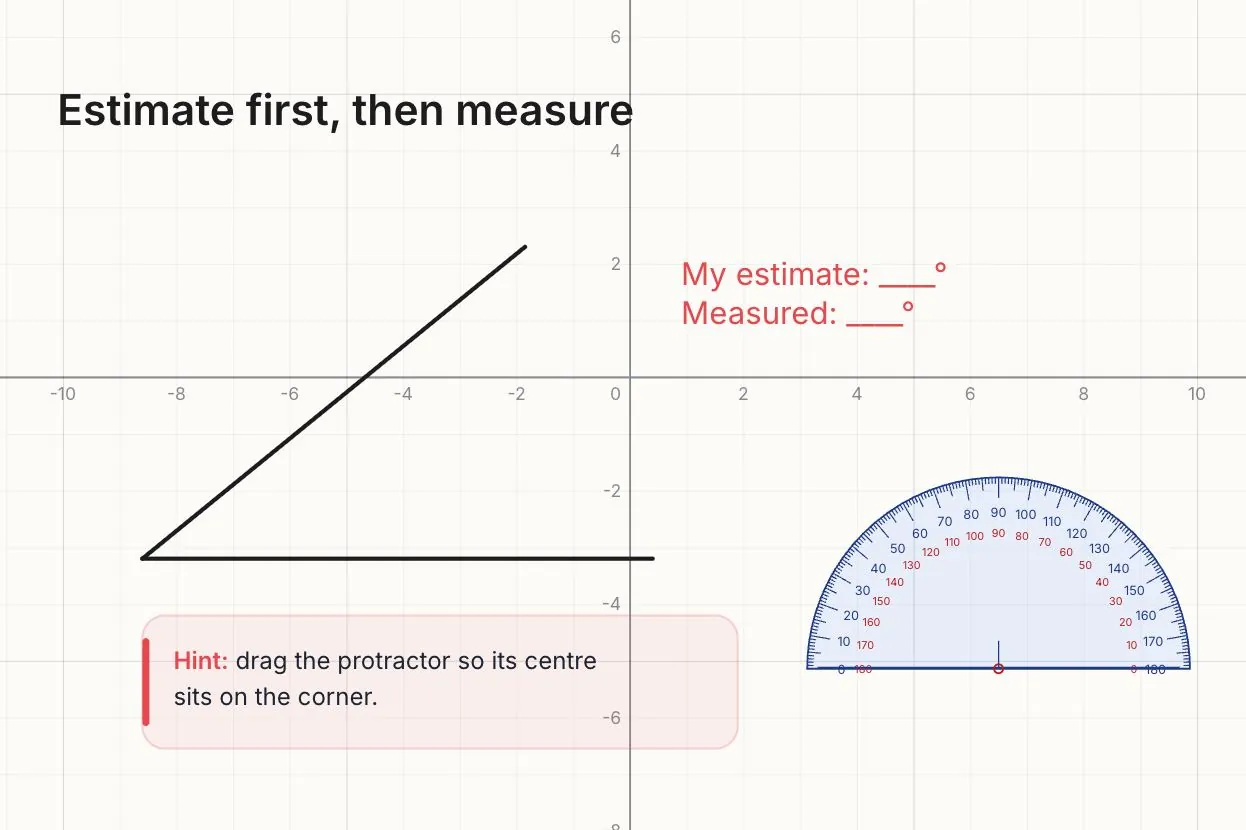
An angle to estimate, then measure. A free lesson starter for Lesson Screen: change anything, then teach it live with your class.
Try it first needs no account.
How to run it in class
10 min- 1Estimate firstEveryone writes their estimate before measuring.
- 2Measure itDrag the protractor so its centre is on the corner.
- 3Who was closest?Compare estimates. Draw a new angle and do it again.
Why it works
Estimating before measuring builds a feel for angle size. Using the protractor on the board shows exactly where to line it up.
Ideas to adapt it
- Draw a triangle and measure all three angles.
- Sort angles into acute, right and obtuse.
- Find angles in a photo of a building.
Questions
How long does it take?
About 10 minutes. It stays saved in your lesson, so you can come back to it next time.
Can I use it with one student?
Yes. You draw angles, they estimate, then swap.
Do students need an account?
No. Go live and share the link or the code. Students join from any device with nothing to install, and you can give each of them their own copy.
Is this starter free?
Yes. Open it, change anything and teach with it on the free plan, which has every feature and live lessons with up to 5 students. Try it first needs no account.
More maths starters
See all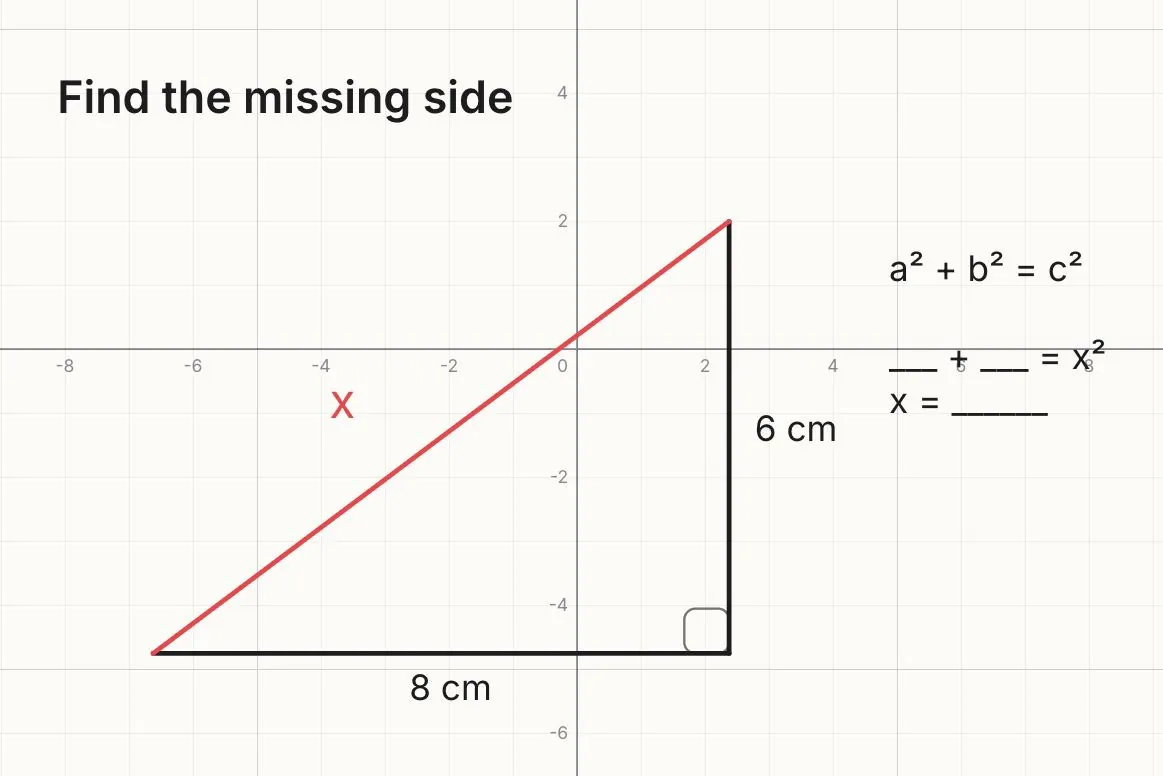
Pythagoras
Find the missing side of a right-angled triangle
Use this starter
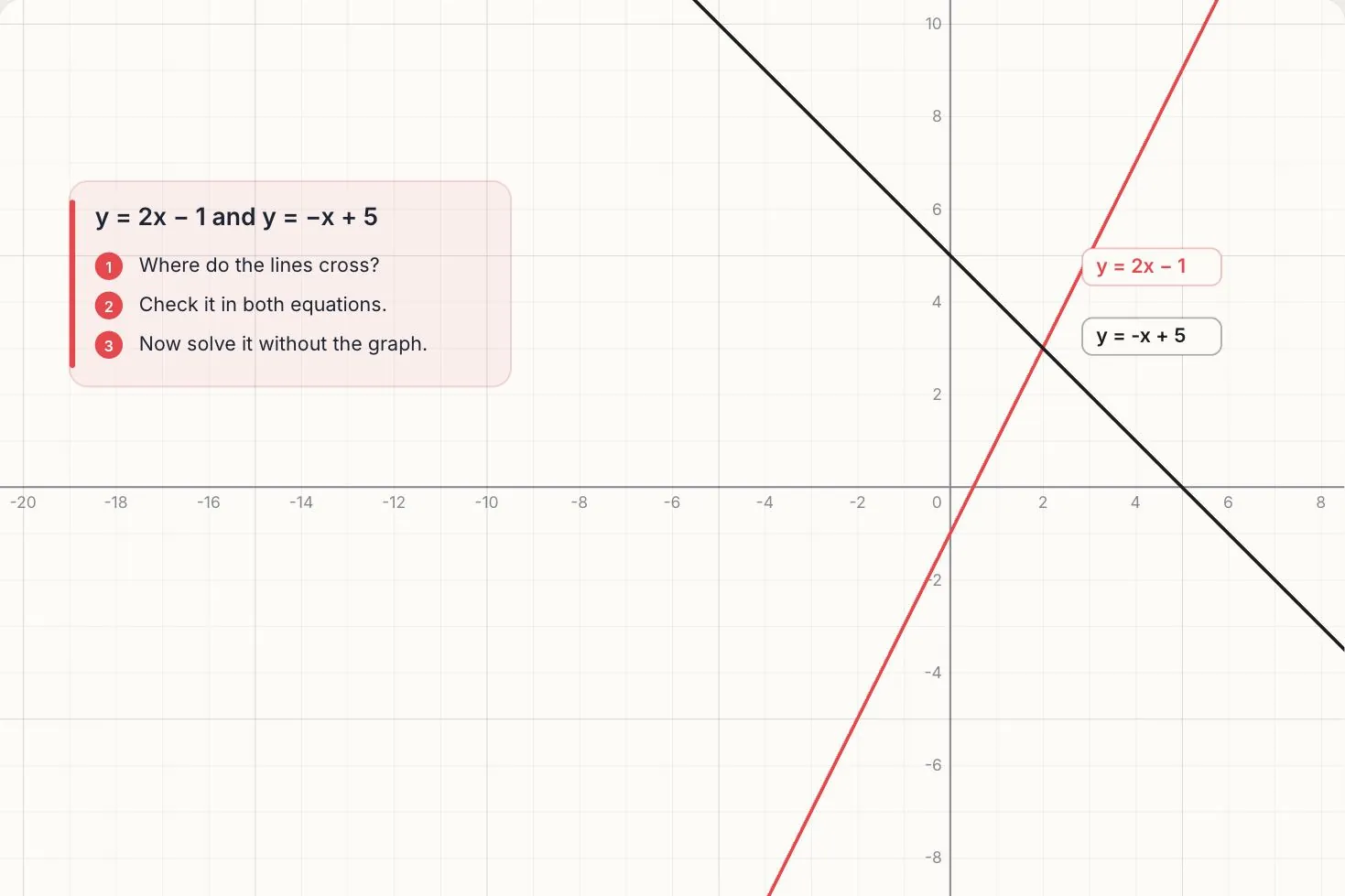
Simultaneous equations
Two lines on a graph: where do they meet?
Use this starter