Miro alternative
Looking for a Miro alternative?
Try one made for teaching.
Lesson Screen is a whiteboard built only for teaching: present step by step, keep the class on the part that matters, and check who understood before you move on.
Free plan with every feature Students join free, no account
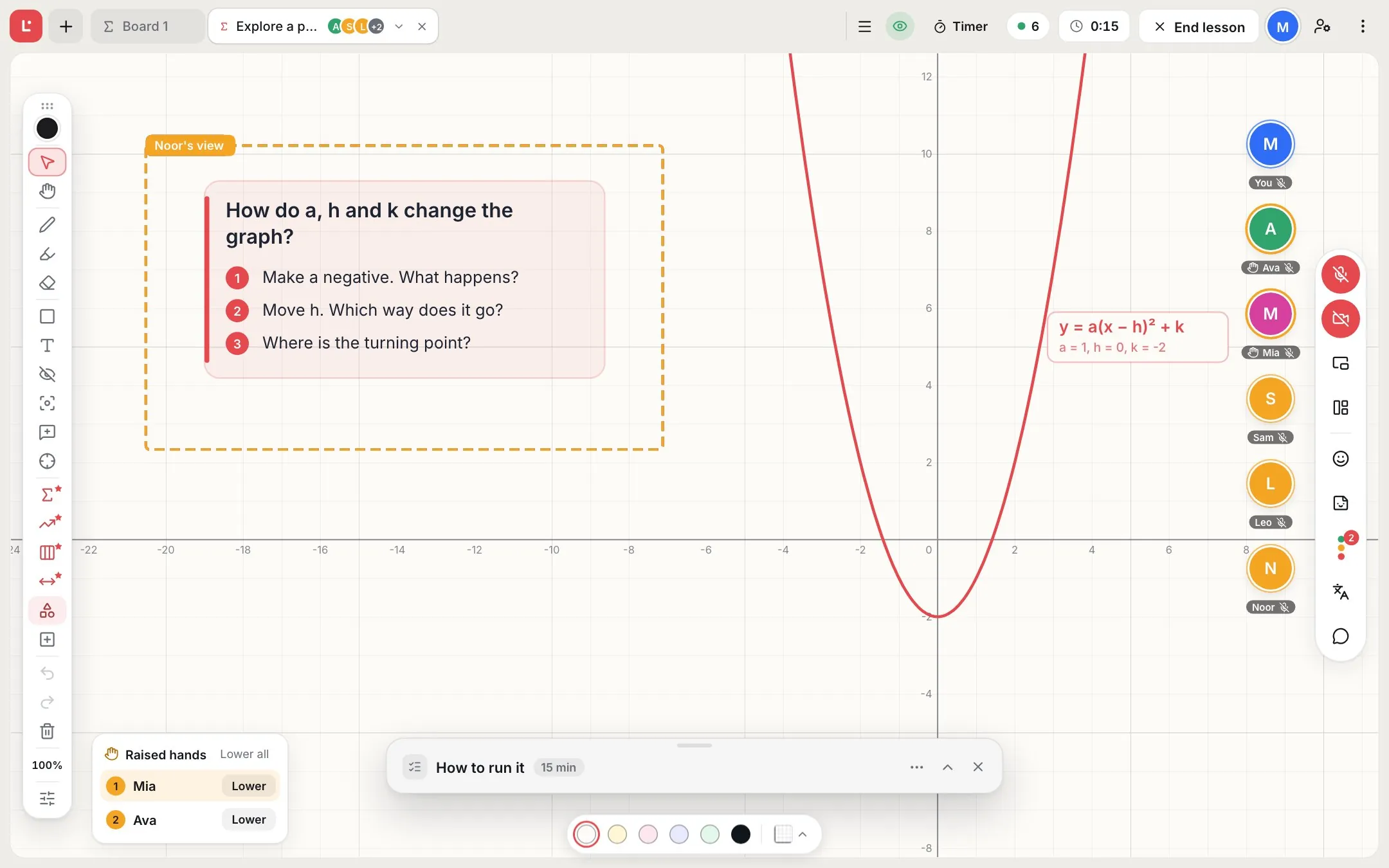
A good fit if you want a whiteboard built for lessons rather than projects
A lesson needs different things from a big open canvas: one step at a time, everyone looking at the same place, and a quick way to know who is lost. Lesson Screen is set up for that from the first tap. Pick a subject and the board comes with the tools for it, from graphs to a piano, and ready-made lesson starters to begin from.
Present step by step
Put each part of the lesson in a numbered frame. Move to the next one and every student's screen follows, so nobody gets lost on the board.
- Frames you can name and reorder
- Every screen follows yours
- Comments on any part of the board
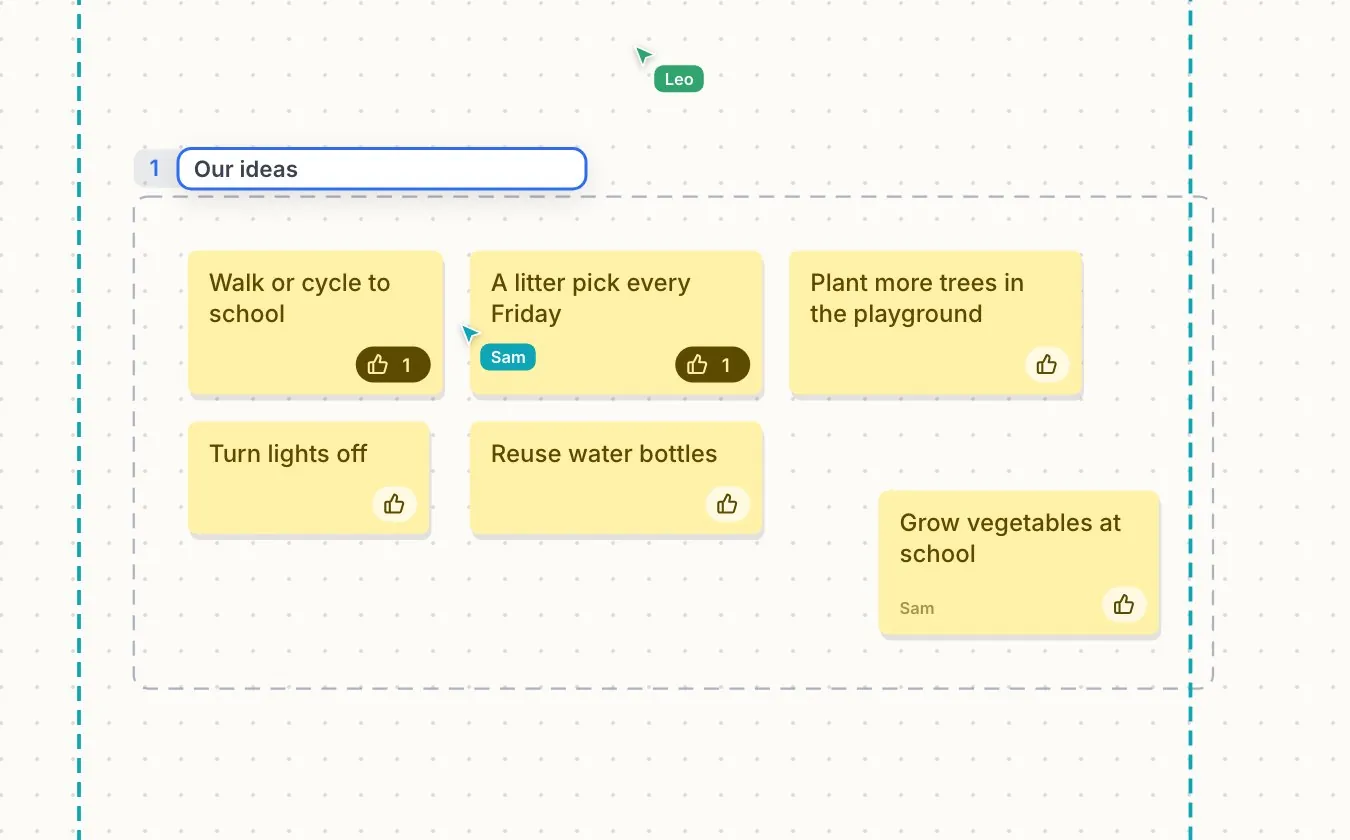
Keep the class together
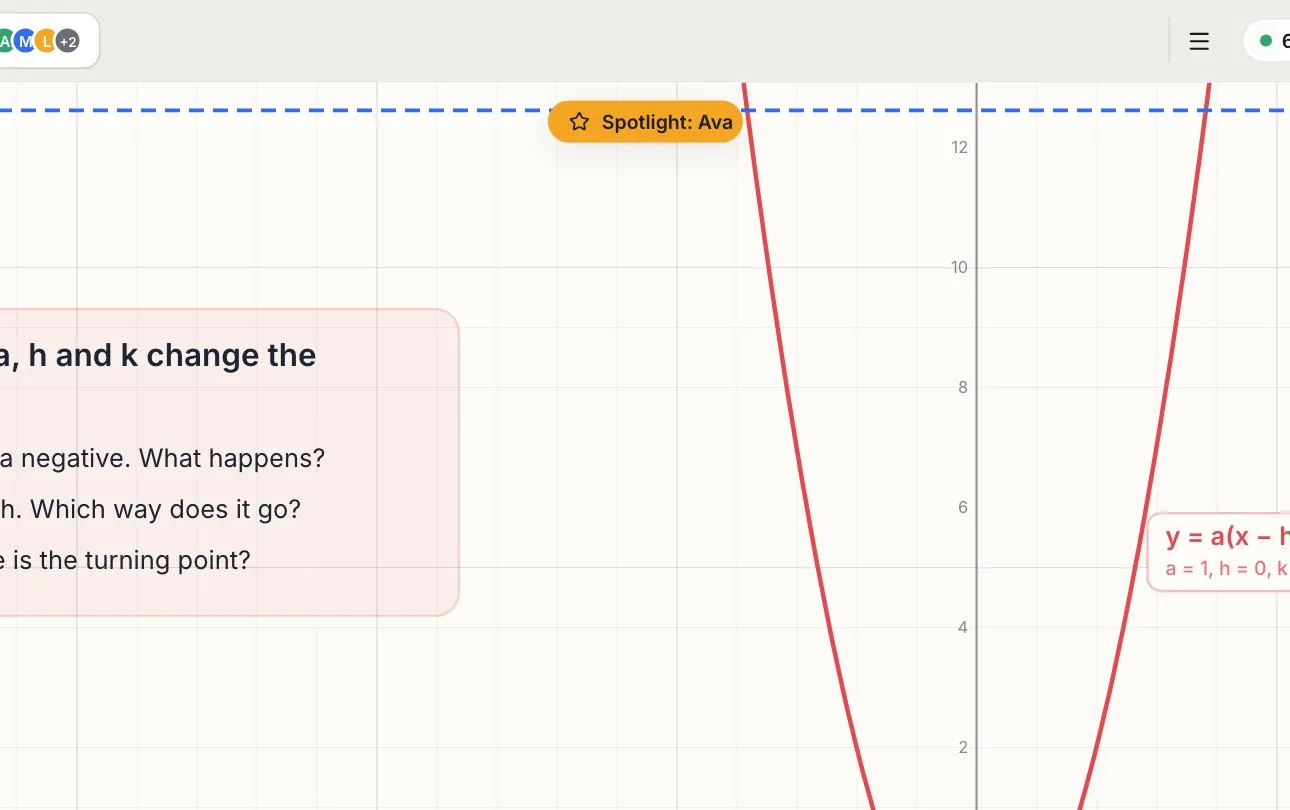
Lead the class so every screen follows yours, lock everyone to one area, or spotlight a student's answer for everyone to see.
- Lead the class
- Focus on one area
- Spotlight and trophies
A lesson made in seconds
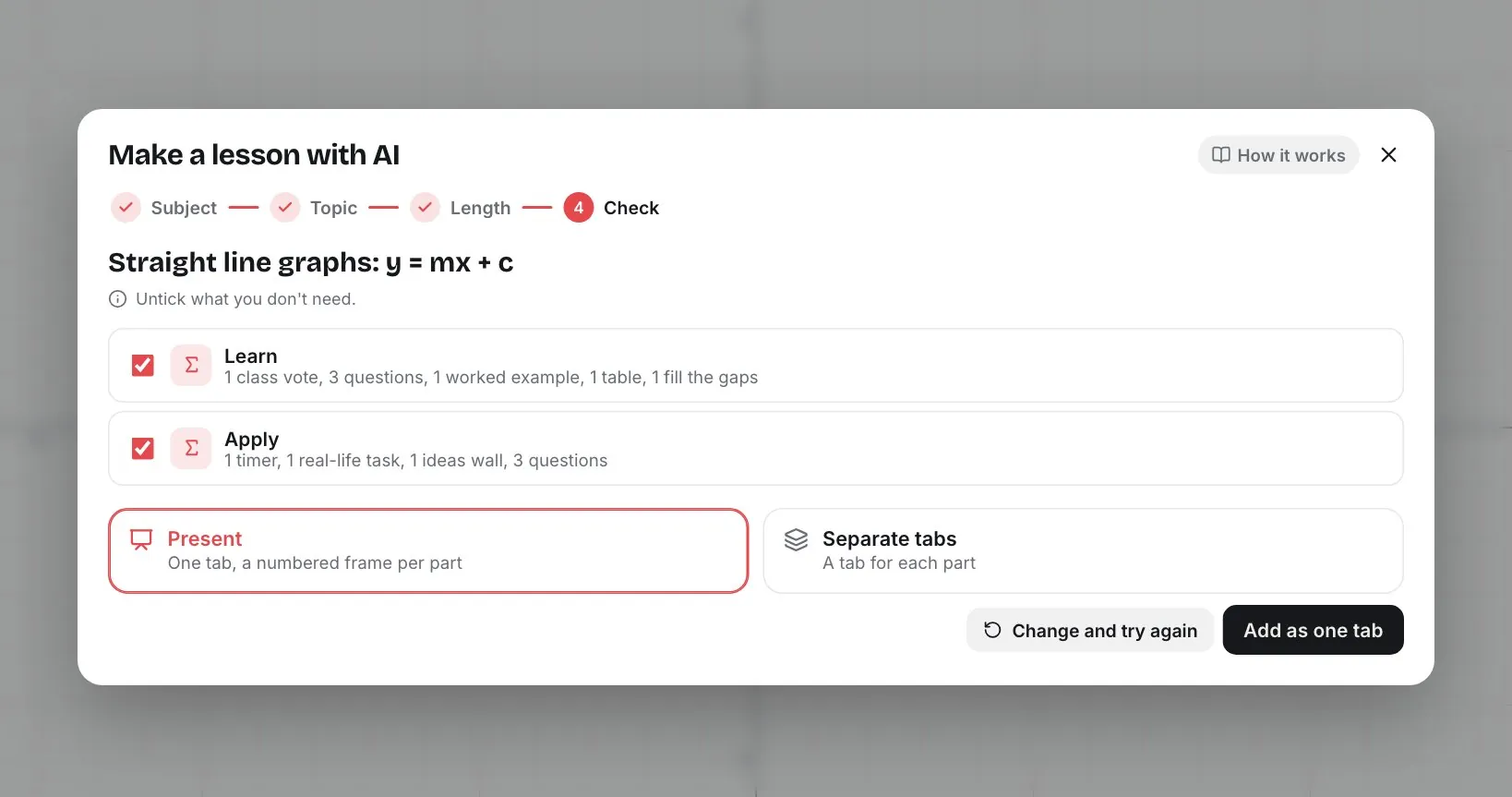
Type a topic or drop in a worksheet, and AI builds a lesson from real board tools: questions, graphs, word cards and a quick check at the end.
- From a topic, PDF, Word file or photo
- Quick or full lessons
- Every part stays yours to change
Start from a ready-made board
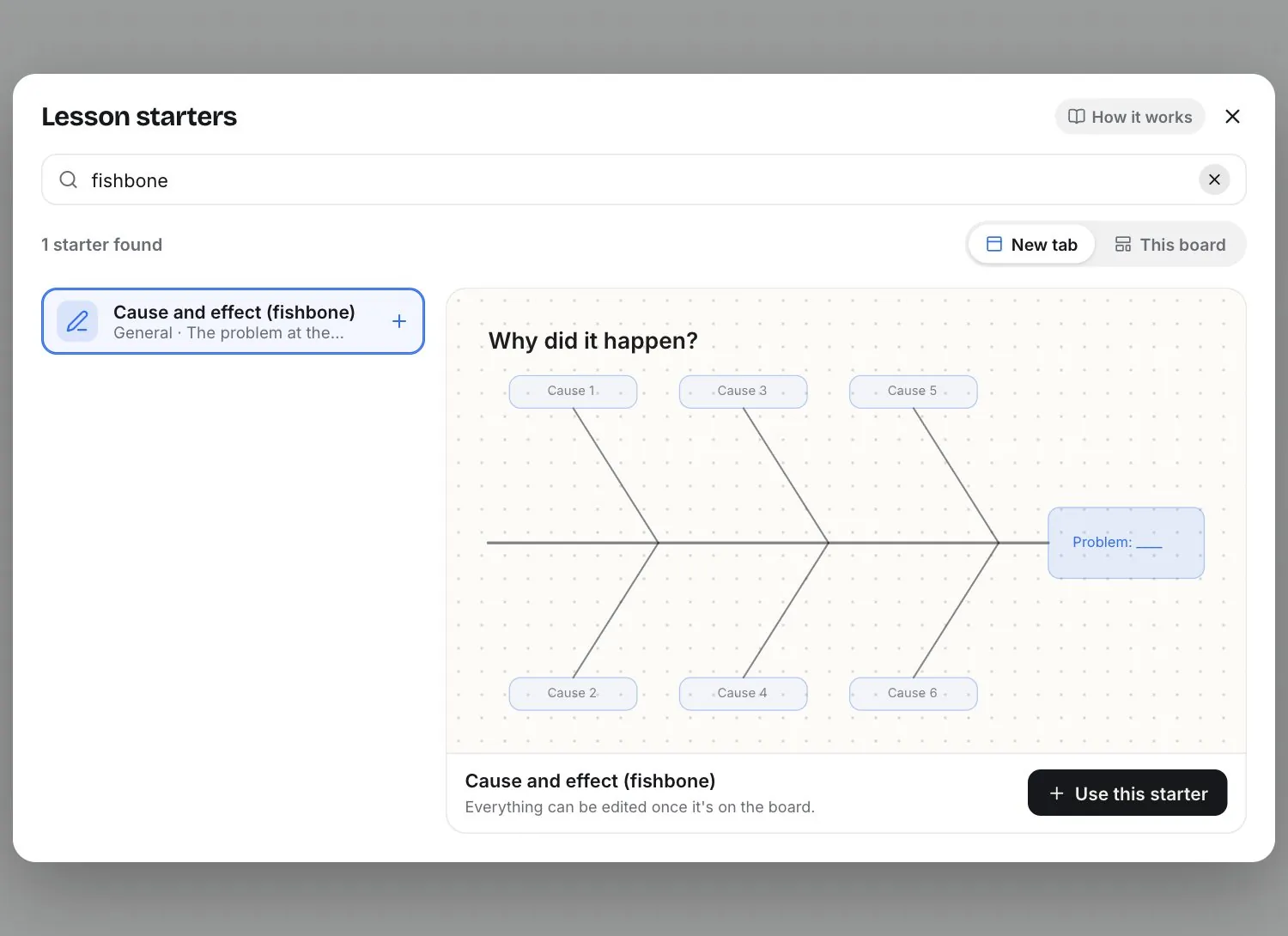
161 lesson starters for every subject, each with steps for how to run it in class: warm-ups, games, exit tickets and planning boards.
- Starters for every subject
- How to run it, step by step
- Save your own as starters
Moving your lessons over
- Open a board. Try it with no sign-up, or start free to save your lessons.
- Bring in what you have. Drop in PDFs, Word files, slides, spreadsheets and pictures, each as one card with its pages, or start from one of 161 lesson starters.
- Invite your students. Share a link, a code or a QR code. They join from any device, with no account.
Free plan: every feature, 5 hours of live lessons a month, up to 5 students. Pro is $12 a month and takes the limits off. And more: 73 teaching tools, breakout rooms, lesson notes and reports and boards you share to work on together.
Questions
Can I still use it for planning and brainstorming?
Yes. Sticky notes, frames, shapes, text and voting are all there, and you can share a board with colleagues to work on it together.
Can other people edit a board with me?
Yes. Share it with a link or an email, as Can edit or Can view. On the free plan 3 people can edit at once, and viewers are never counted.
What makes it a teaching whiteboard?
Tools for each subject (73 of them), live quizzes and quick checks, every student's own board, breakout rooms and lesson notes, all on the same board.
Do students need an account?
No. They join a live lesson with a link or a code. Only people who edit a shared board need to sign in.
How much does it cost?
Free to start, with every feature. Pro is $12 a month, or $99 a year, and takes the limits off.
Made for you
Miro is a trademark of its owner. Lesson Screen is not affiliated with or endorsed by it.