Jamboard alternative
Looking for a Jamboard alternative?
Try one made for teaching.
Lesson Screen is an online whiteboard where the whole class writes together: sticky notes to brainstorm, sort and vote on, every student's own board, and quick checks to see who understood.
Free plan with every feature Students join free, no account
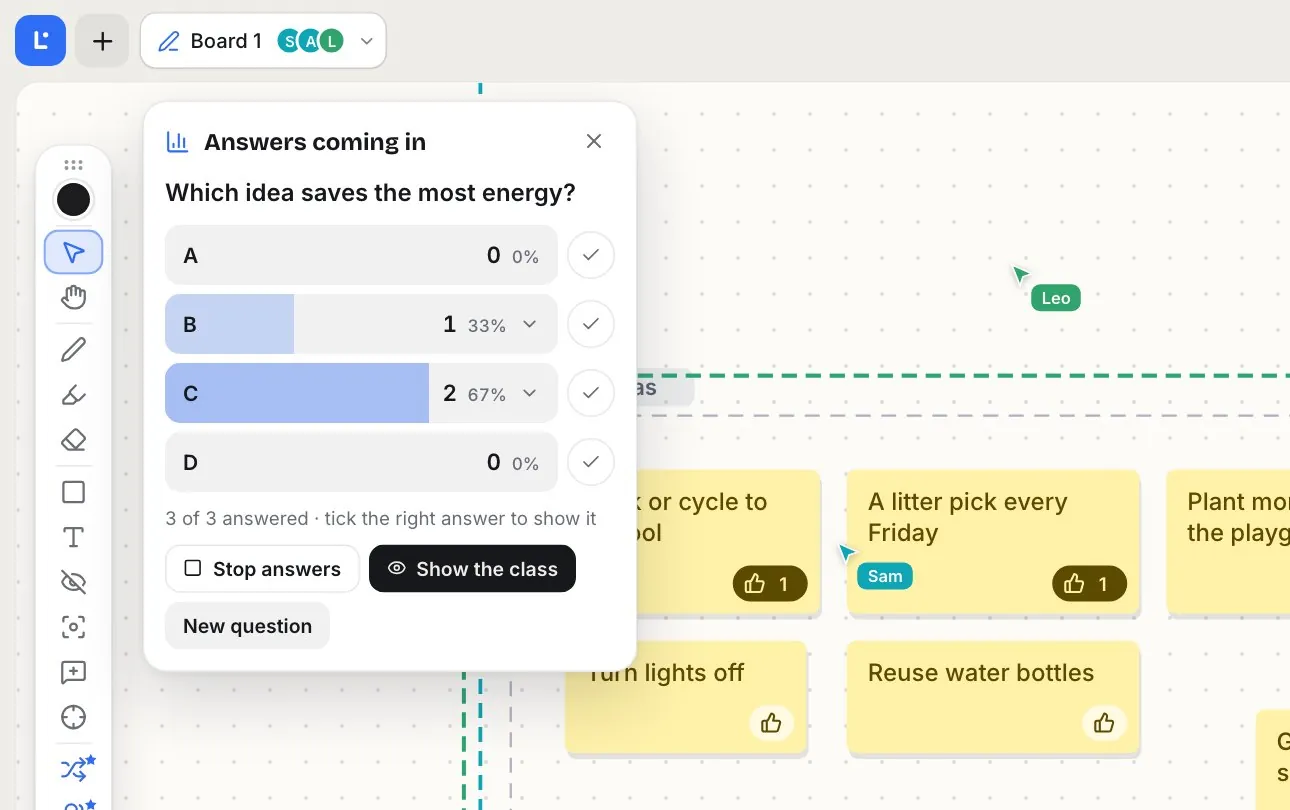
A good fit if you want a whiteboard your whole class can write on
Teachers use Lesson Screen for the moments a class thinks out loud: a brainstorm on sticky notes, a question everyone answers on their own board, a vote on the best idea. Students join from a Chromebook, tablet or phone with a code, and you see every answer as it comes in. When the lesson ends, the board is still there next time.
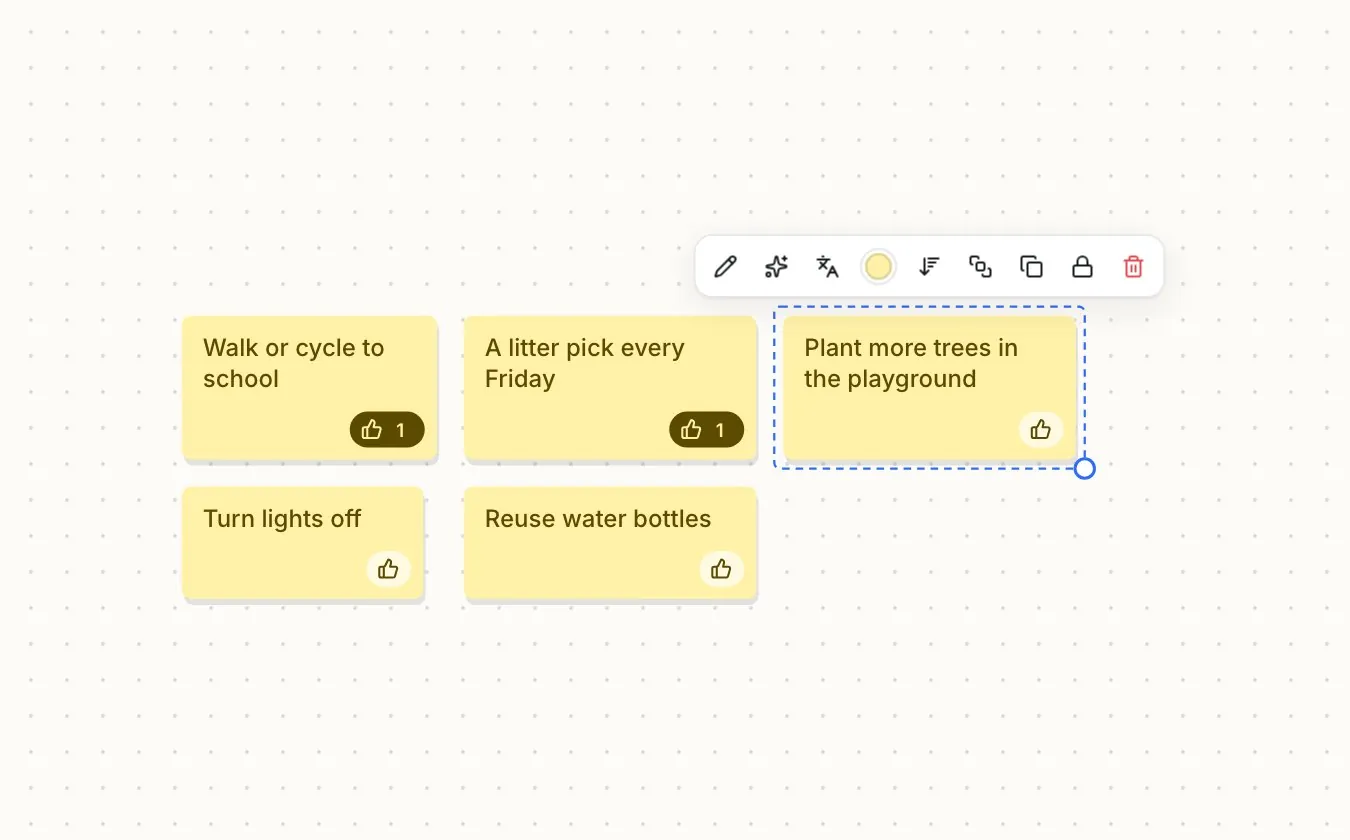
Sticky notes that sort and vote
Students add their ideas on sticky notes, then group them, colour them and vote for the best. The votes show on each note, so the class can see where it's heading.
- Type or write on each note
- Votes and counts on every note
- Group notes into frames
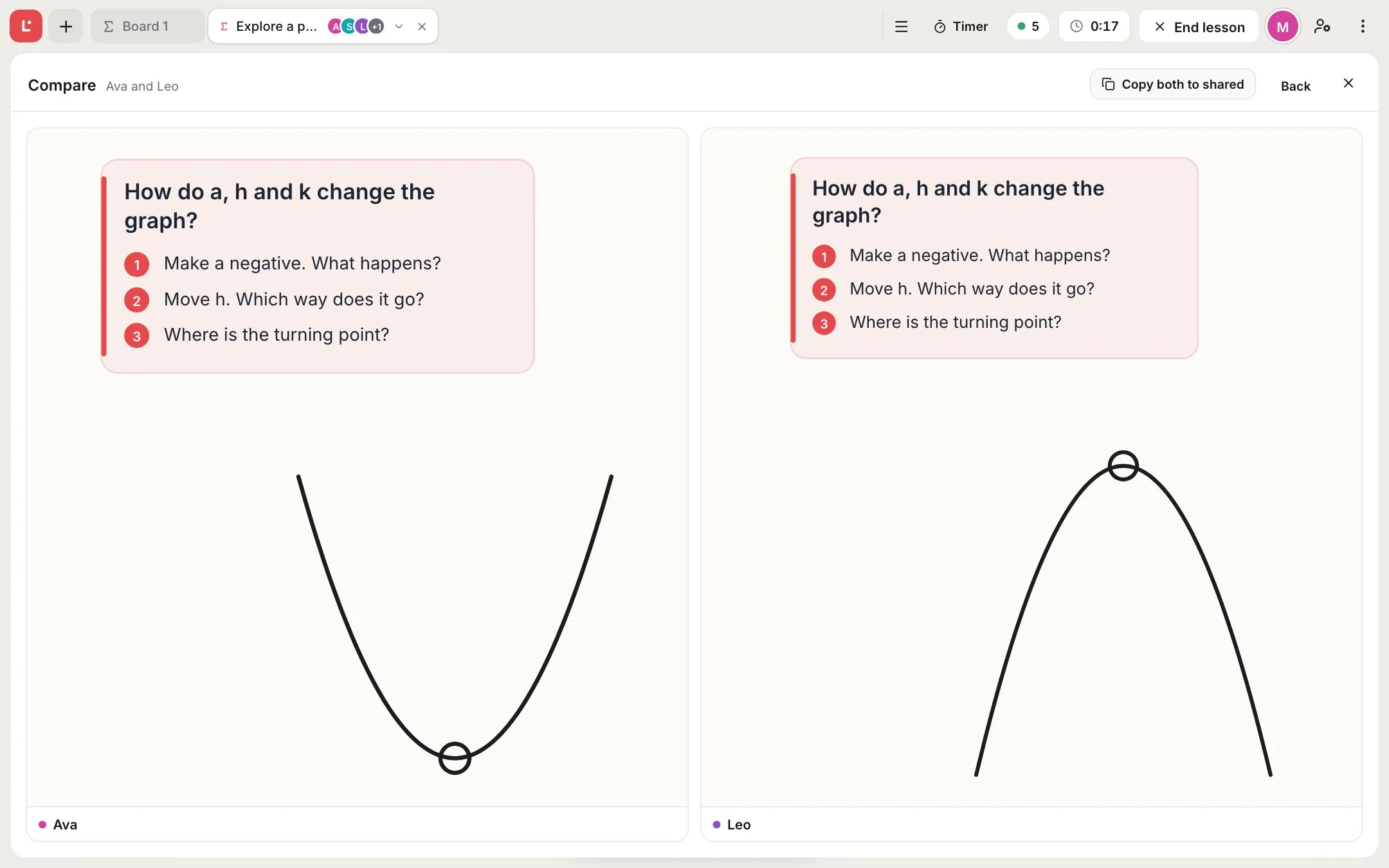
Every student's own board
Give each student their own copy of the task and see them all at once. Put two answers side by side to talk about them, or let students work in pairs.
- See every board live
- Compare two side by side
- Pairs that share one copy
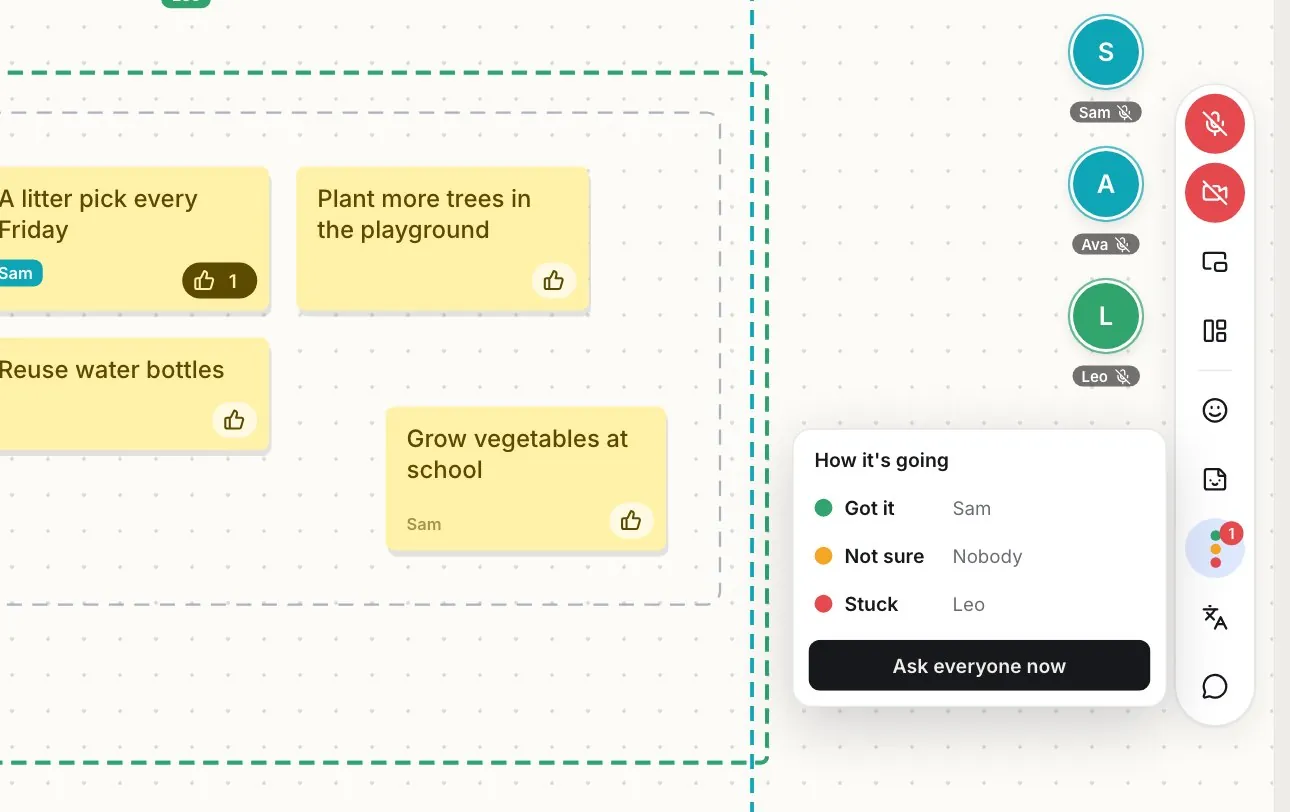
Check who understood
Ask a quick A, B, C, D question, or a traffic light for how it's going. Only you see who answered what, so nobody is put on the spot.
- Live answers as they come in
- Show the class when you're ready
- Who's stuck, at a glance
Students join with a code
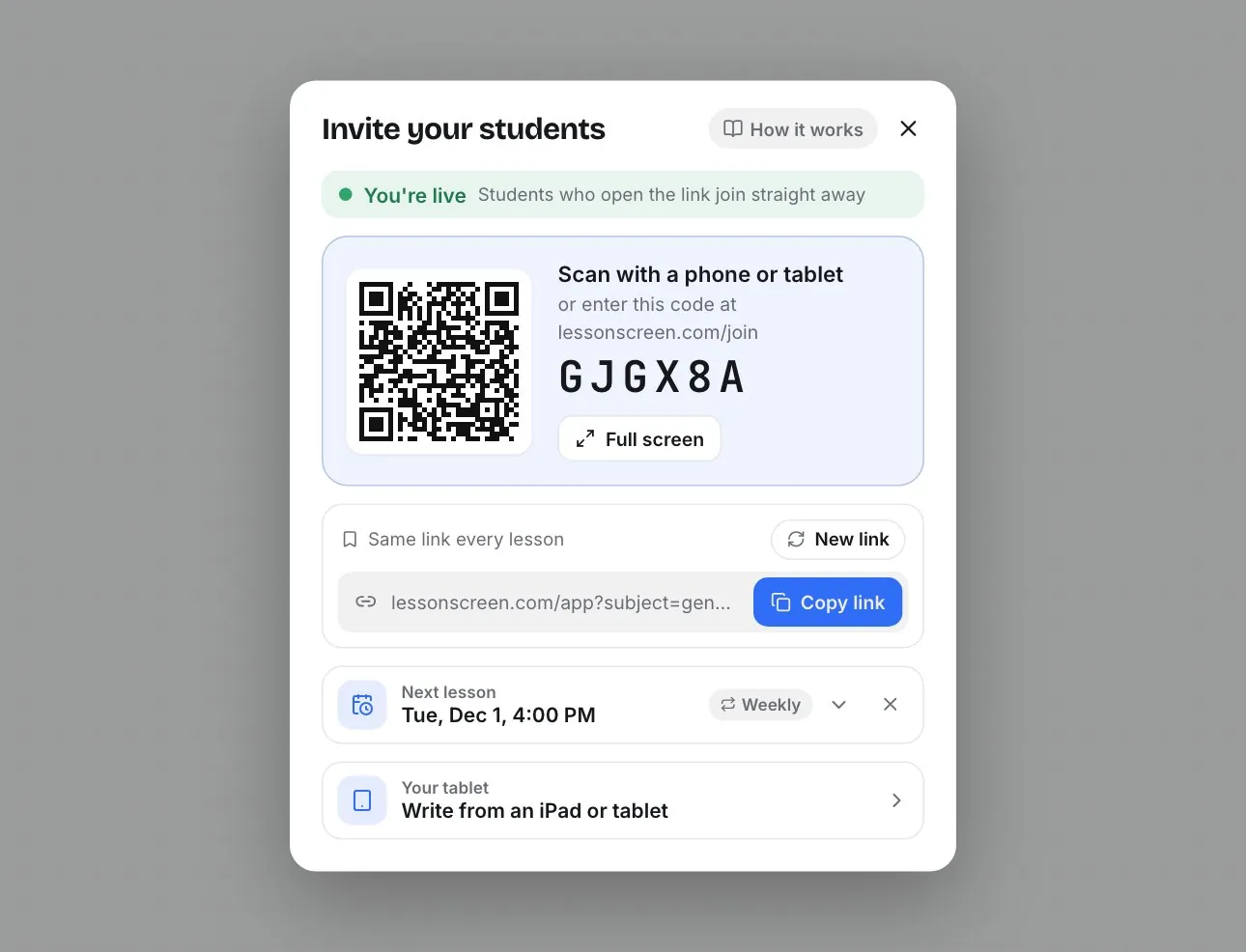
Share a link, a short code or a QR code. No student accounts and nothing to install, on any device the school already has.
- Chromebooks, iPads, phones
- The same link every week
- Draw or watch-only modes
Moving your lessons over
- Open a board. Try it with no sign-up, or start free to save your lessons.
- Bring in what you have. Drop in PDFs, Word files, slides, spreadsheets and pictures, each as one card with its pages, or start from one of 161 lesson starters.
- Invite your students. Share a link, a code or a QR code. They join from any device, with no account.
Free plan: every feature, 5 hours of live lessons a month, up to 5 students. Pro is $12 a month and takes the limits off. And more: 73 teaching tools, breakout rooms, lesson notes and reports and boards you share to work on together.
Questions
Can a whole class write on the board at once?
Yes. Everyone can draw, type and add sticky notes on the shared board, or work on their own copy. You choose who can draw at any moment.
Do students need an account?
No. Students join with a link, a code or a QR code, with no account and nothing to install.
Are the boards saved?
Yes. Each lesson keeps its boards, so you can open it again next week with the class's work still on it.
Does it work on Chromebooks?
Yes. It runs in the browser on Chromebooks, Windows and Mac computers, iPads, Android tablets and phones.
Is it free?
The free plan has every feature, 5 hours of live lessons a month and up to 5 students. Pro is $12 a month for up to 50 students and no limit on hours.
Made for you
Jamboard is a trademark of its owner. Lesson Screen is not affiliated with or endorsed by it.