Online whiteboard for schools
A whiteboard every student
can write on.
Teachers run the lesson from one board, students join from any device with a code, and everyone takes part: drawing, answering and working in groups. For the whole school, run it under your own name.
Free plan with every feature Students join free, no account
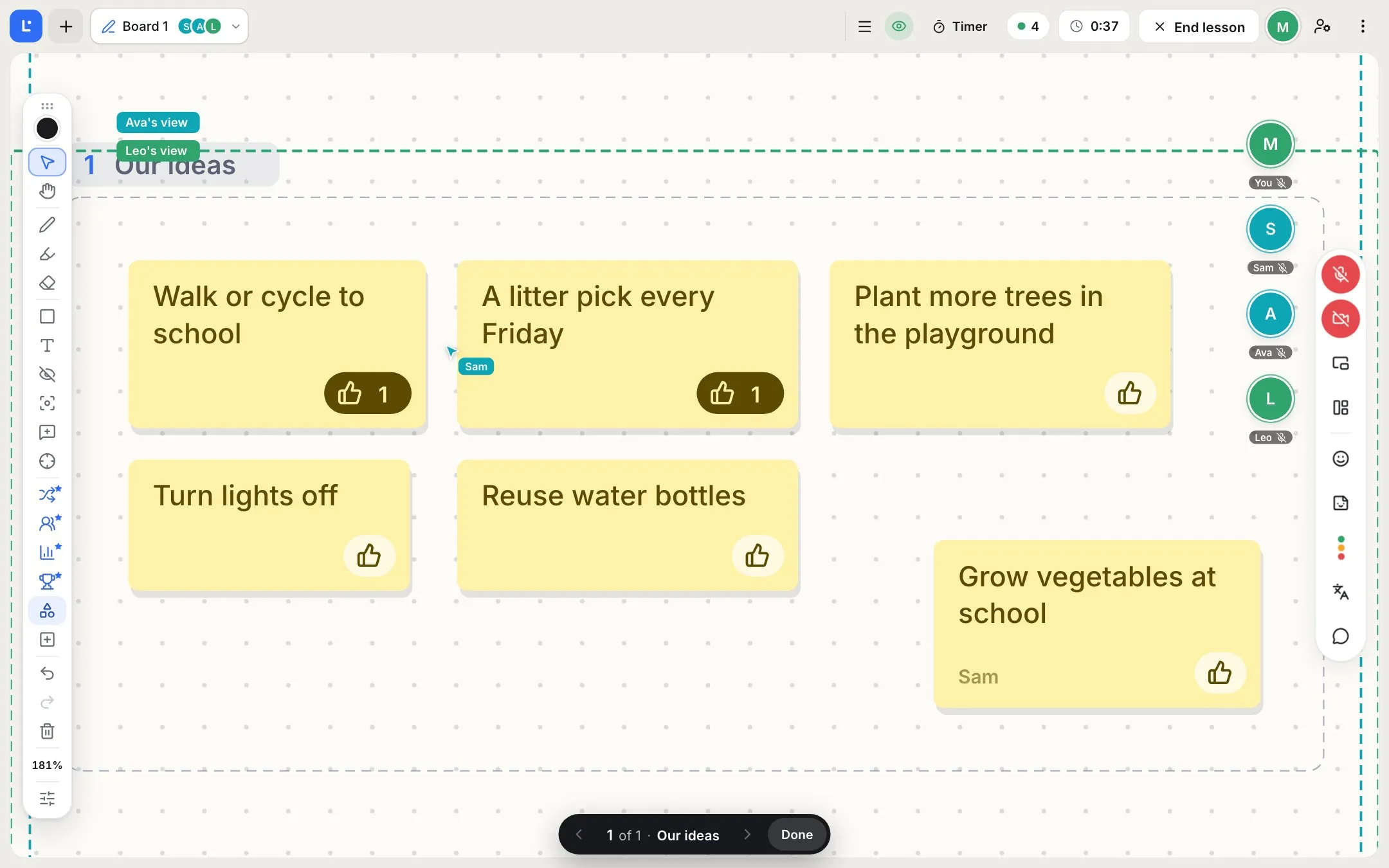
One board for the whole class
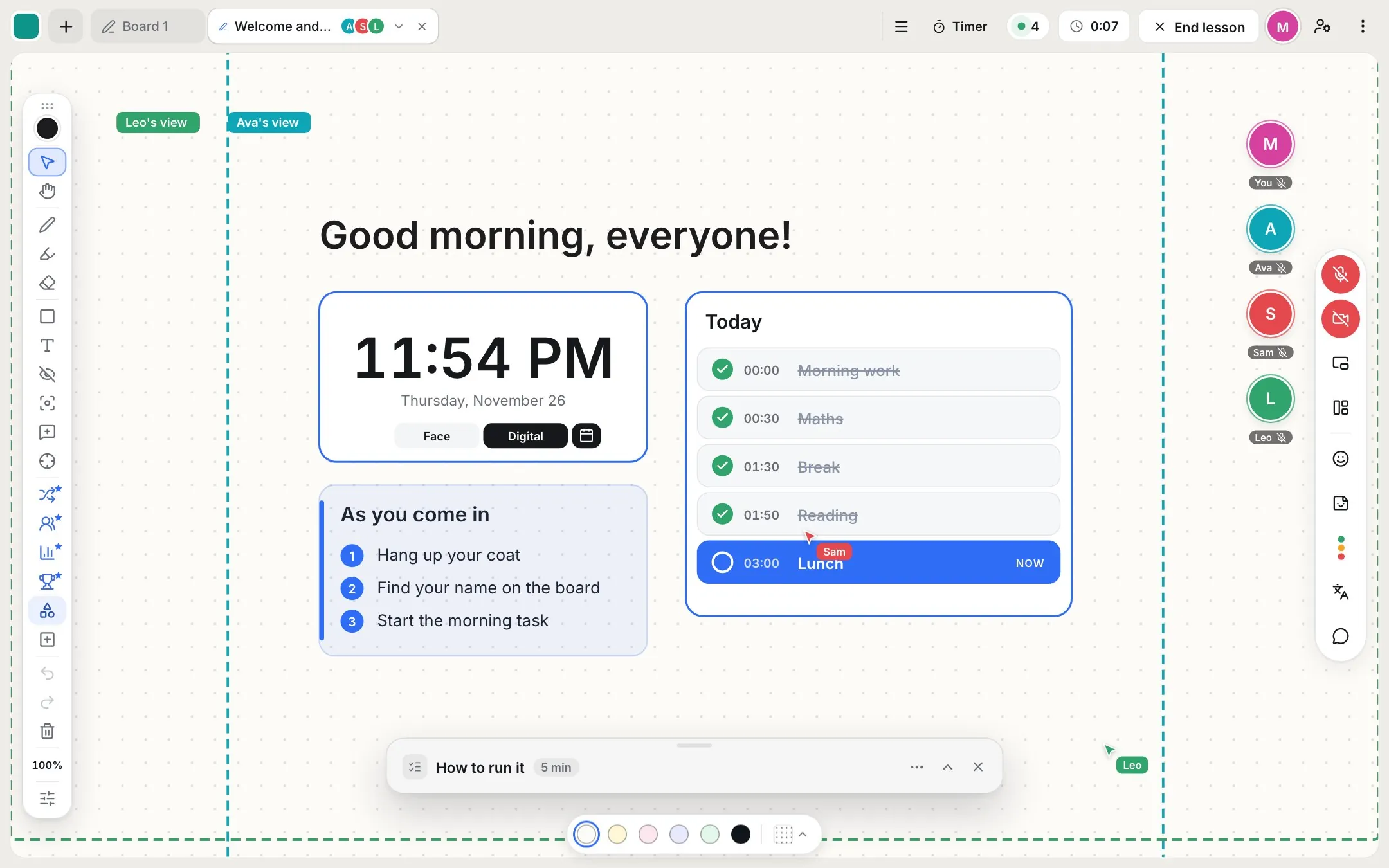
A class lesson works best when every student is doing something, not just watching. Lesson Screen puts the teacher's board on the main screen and a copy in every student's hands, so the whole room can draw, answer and play at the same time.
Teachers don't need training to start. Open a lesson starter, share the code and teach. When a school wants every teacher on it, the white label plan runs it under the school's own name, with sign-in from the school's own site.
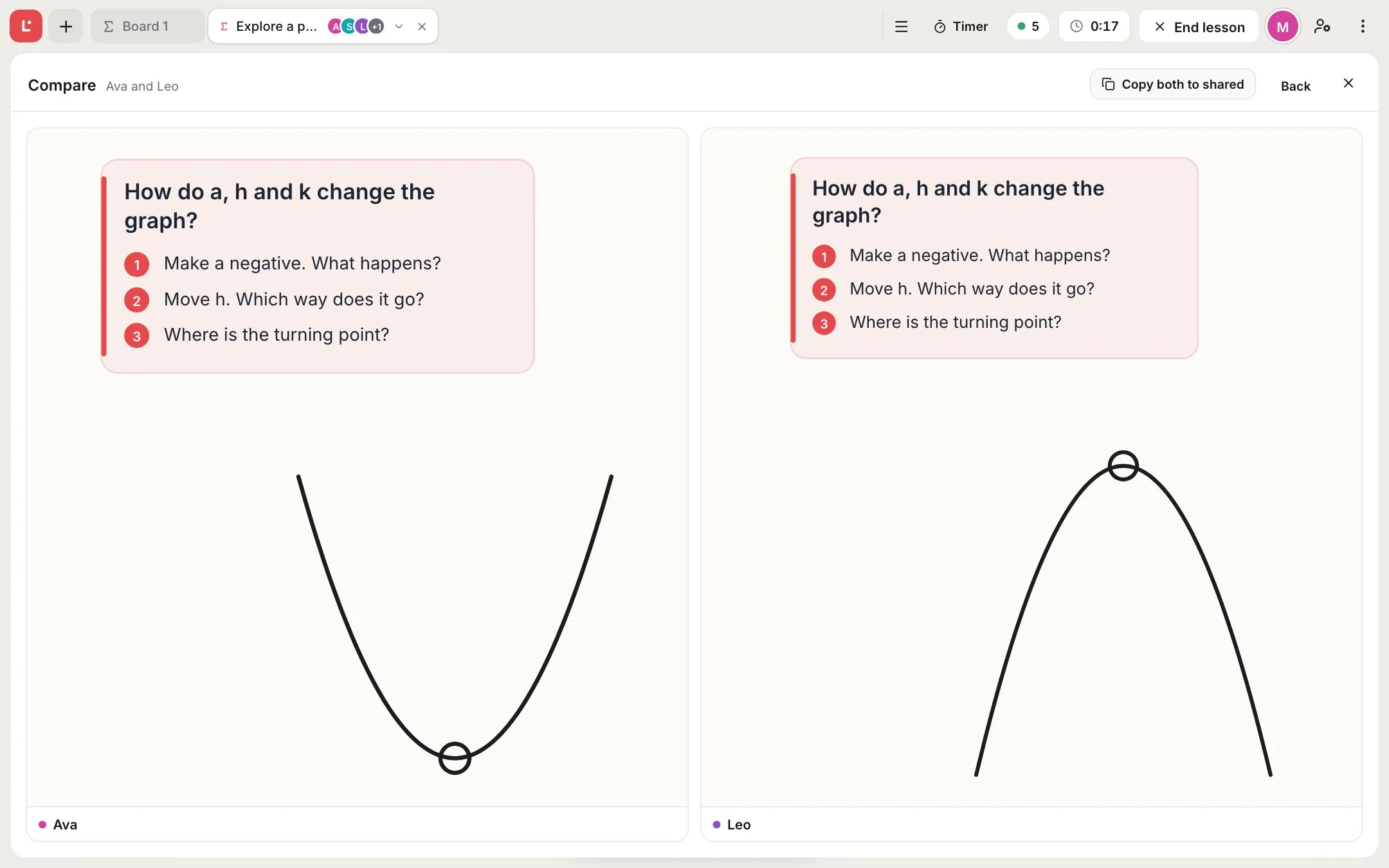
Every student's own board
Give each student their own copy of the task, watch them all at once, and put two side by side to compare. Help one student without stopping the class.
- See every board at once
- Compare two answers side by side
- Pairs and groups
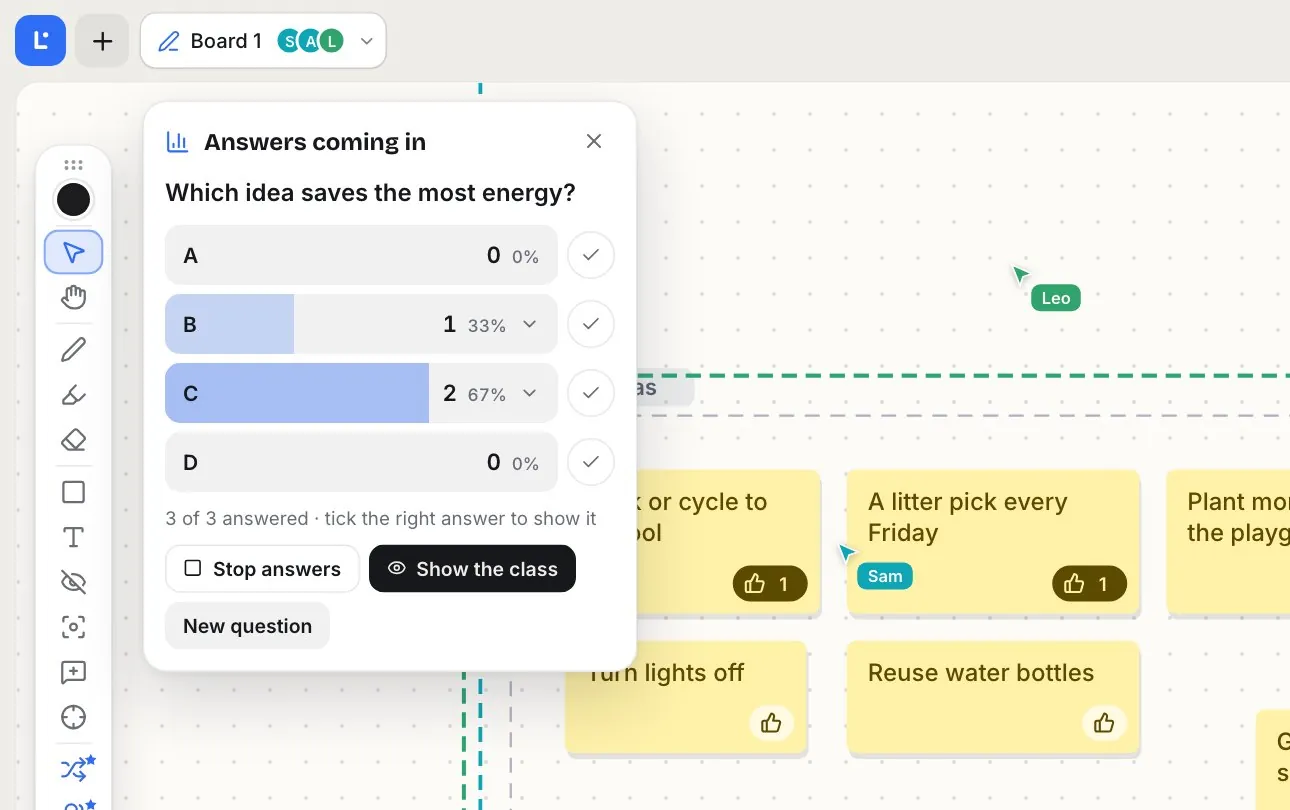
Know who's got it
A quick A, B, C, D check, a traffic light for how it's going, and a list of who's stuck, all live while you teach.
- Quick checks and polls
- Raised hands in order
- Who's stuck, at a glance
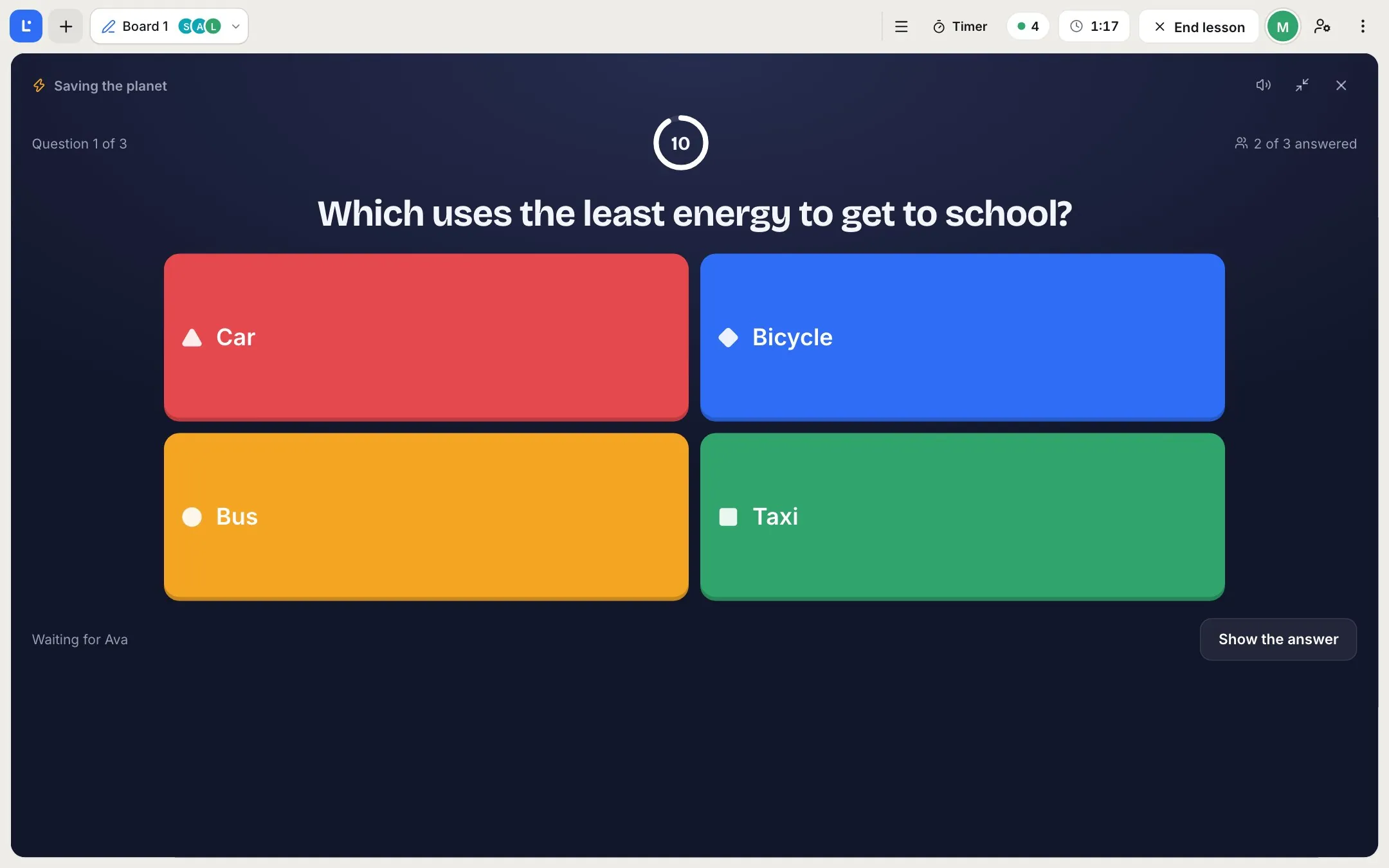
Quizzes and team games built in
Turn any lesson into a live quiz on students' phones, or a team game on the board. No other site, no extra logins.
- Live quizzes with a podium
- Team games and fifteen more class games
- Make a quiz from the board with AI
A record of every lesson
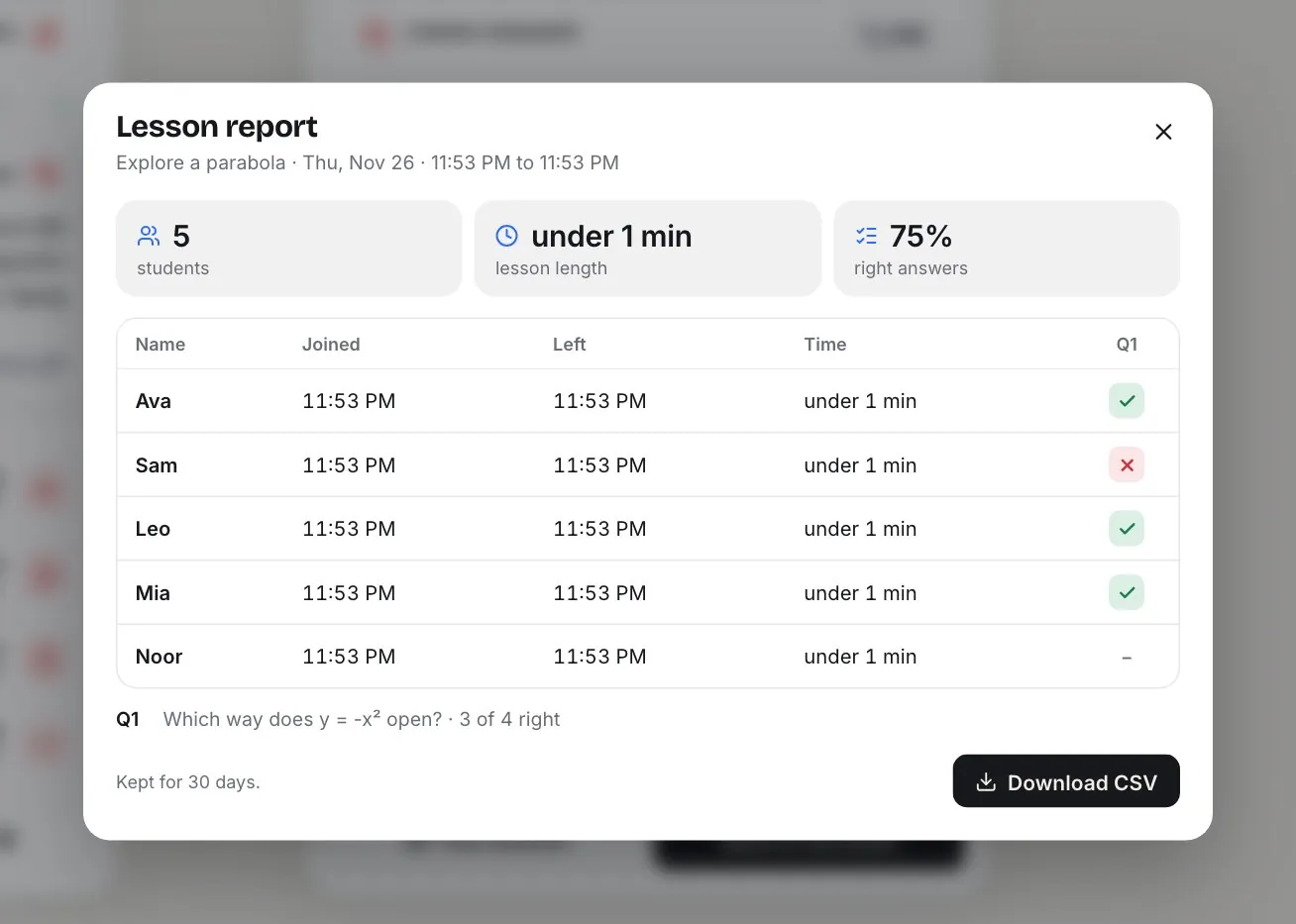
Who joined, for how long, and how they answered, ready to download as a spreadsheet.
- Attendance and answers
- Download as CSV
- Lesson notes for students
Under your school's own brand
Run Lesson Screen with your logo, colours and address, let teachers sign in from your site, and receive lesson records on your own server.
- Your logo, colours and address
- Sign-in from your site
- Start with a 7-day free trial
Questions
How many students can join a lesson?
Up to 5 on the free plan and up to 50 on Pro. Students join free, with no account.
Does it work on Chromebooks and iPads?
Yes. It runs in the browser on Chromebooks, Windows and Mac computers, iPads, Android tablets and phones.
Can teachers control what students do?
Yes. Choose who can draw, talk, use the camera, share their screen or chat. Lead the class so every screen follows yours, or lock everyone to one area.
Is there a plan for a whole school?
Yes. The white label plan runs Lesson Screen under your own brand at $20 per teacher a month, less from the 11th teacher, after a 7-day free trial.
Can we use it in the classroom, not just online?
Yes. Put the board on the classroom screen and let students join from their own devices to answer, vote and draw.
Do students need an email address?
No. Students join with a code or a QR code and type their first name. There is nothing to install and no account to make.
Can teachers share lessons with each other?
Yes. Share a board by link so a colleague can open it, change it and teach it, or just look. Viewers are never counted.
Is there a way to see how each student did?
Yes. The lesson report shows who joined, for how long and how each student answered, and you can download it as a spreadsheet.