Teaching videos
Explain it once,
they watch it any time.
Record a short explainer on your whiteboard with your voice and camera, then send one link. Students watch at home, at their own speed, on any phone or computer. No editing, no upload to another site.
Free to record and share Students watch with no account
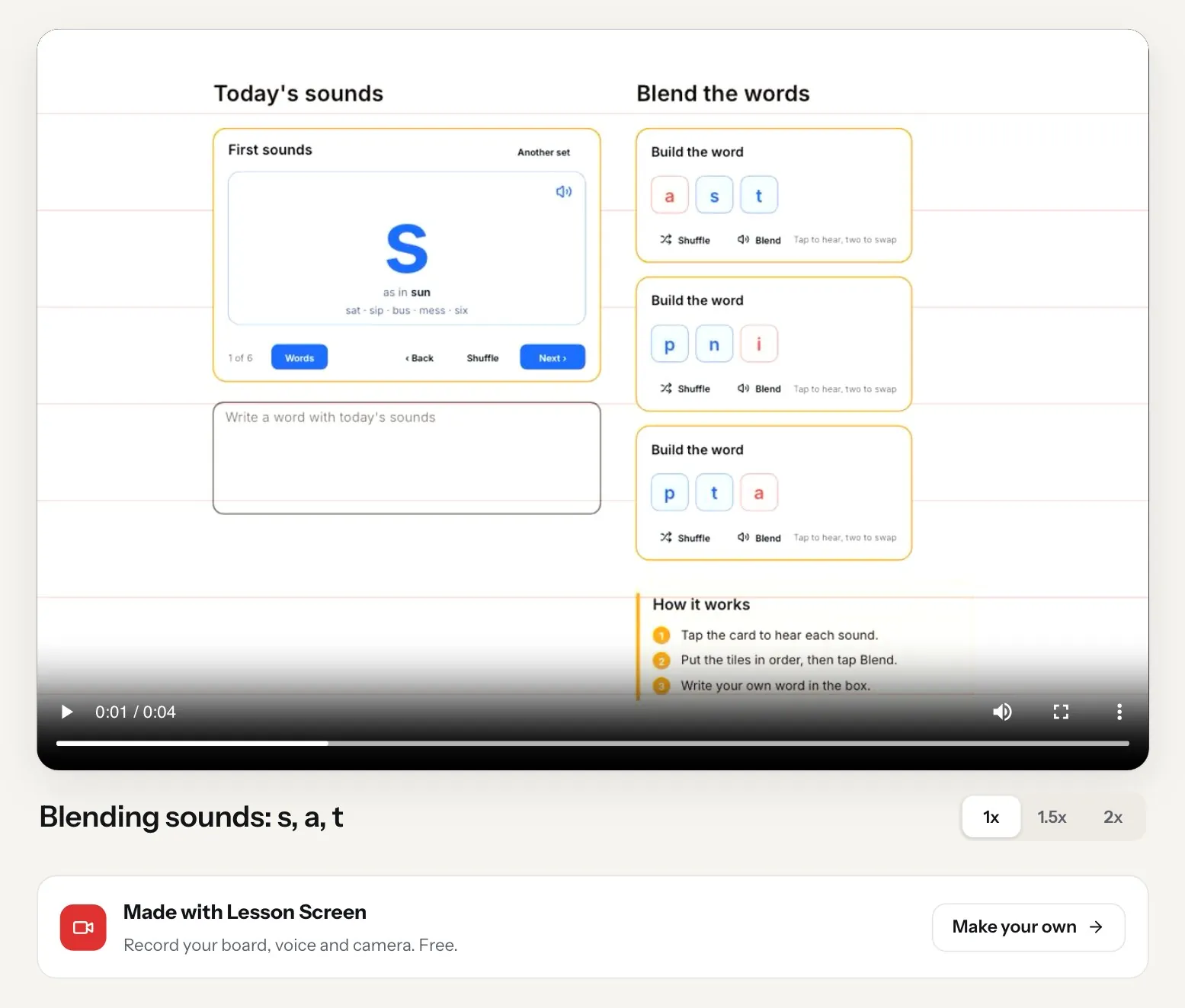
Videos students actually watch
The best lesson videos are short: one idea, three or four minutes, made by the teacher students already know. Lesson Screen records the board you already teach on, so making one is as quick as explaining it out loud.
Use them for students who missed class, for homework the night before a lesson, for revision before a test, or to answer the question three students asked. Record wide for a computer, tall for a phone, or square for anywhere.
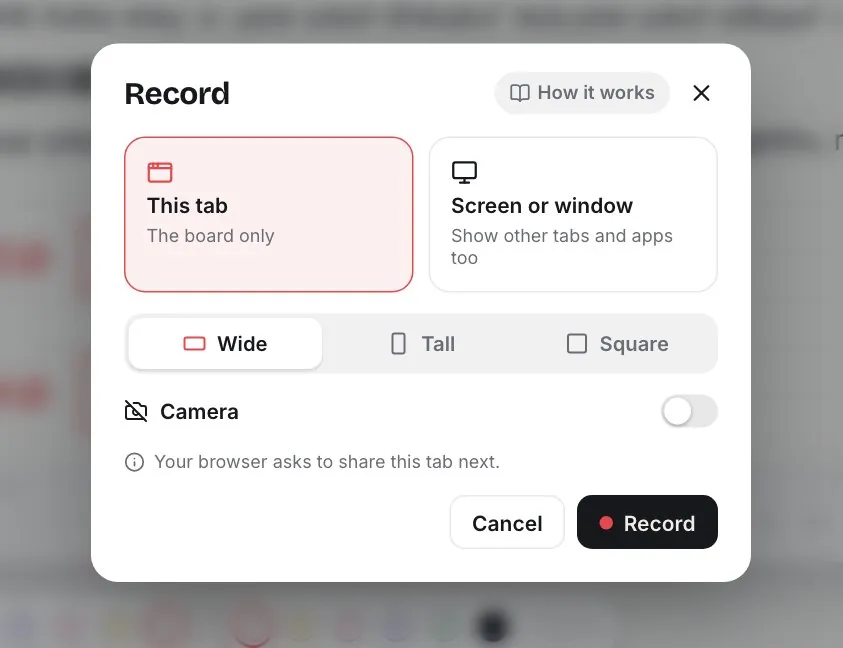
Record in one take
Choose the board only, or your whole screen. Pick wide, tall or square, and turn on your camera to show yourself in a round bubble in the corner.
- The board, a window or your whole screen
- Wide, tall or square
- Your camera in a bubble
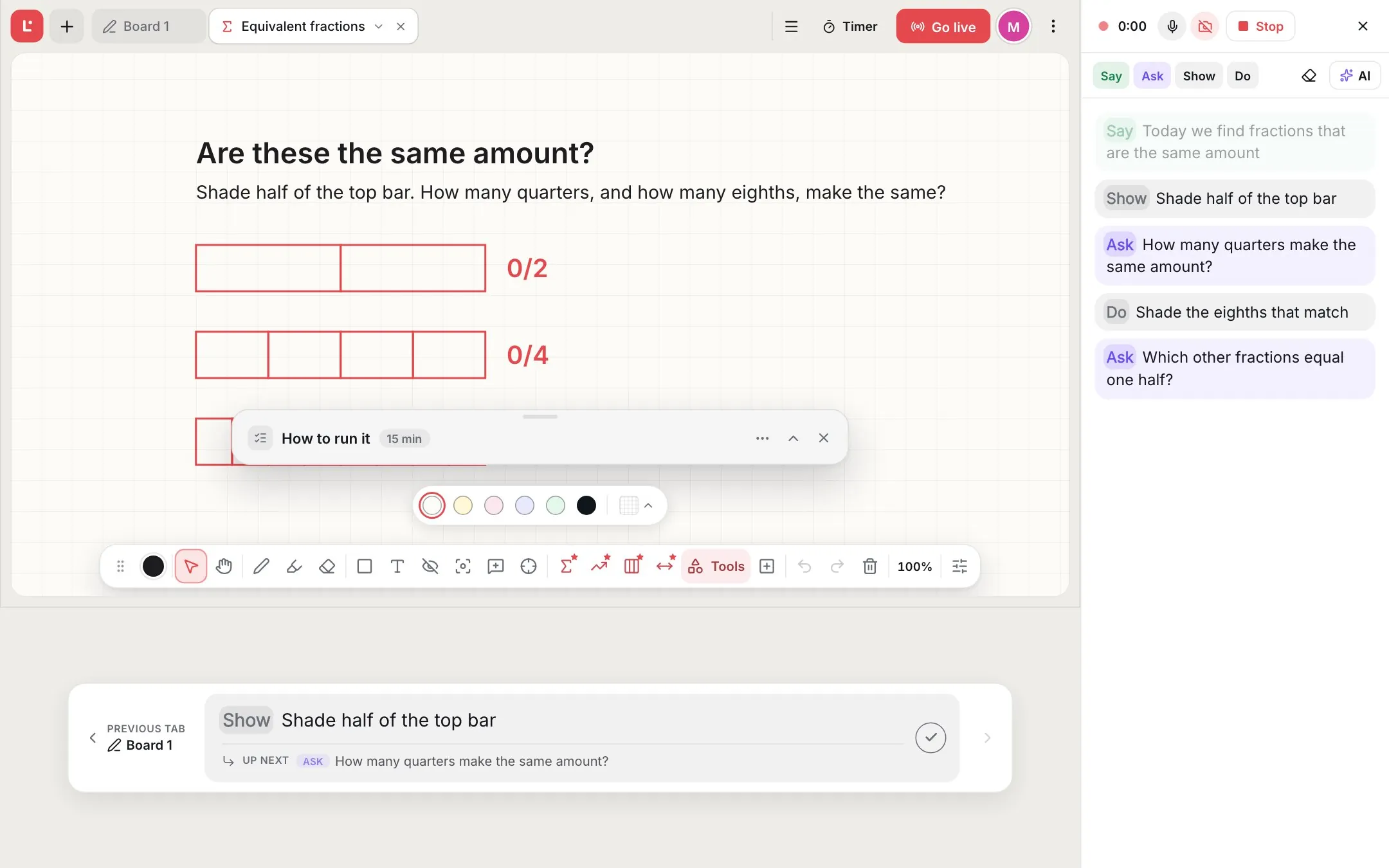
Your notes beside the board
Write what to say before you start. While you record, the next step shows under the board, so you never lose your place or start again.
- Say, Ask, Show and Do steps
- Only you see your notes
- Draw, write and change tabs as you talk
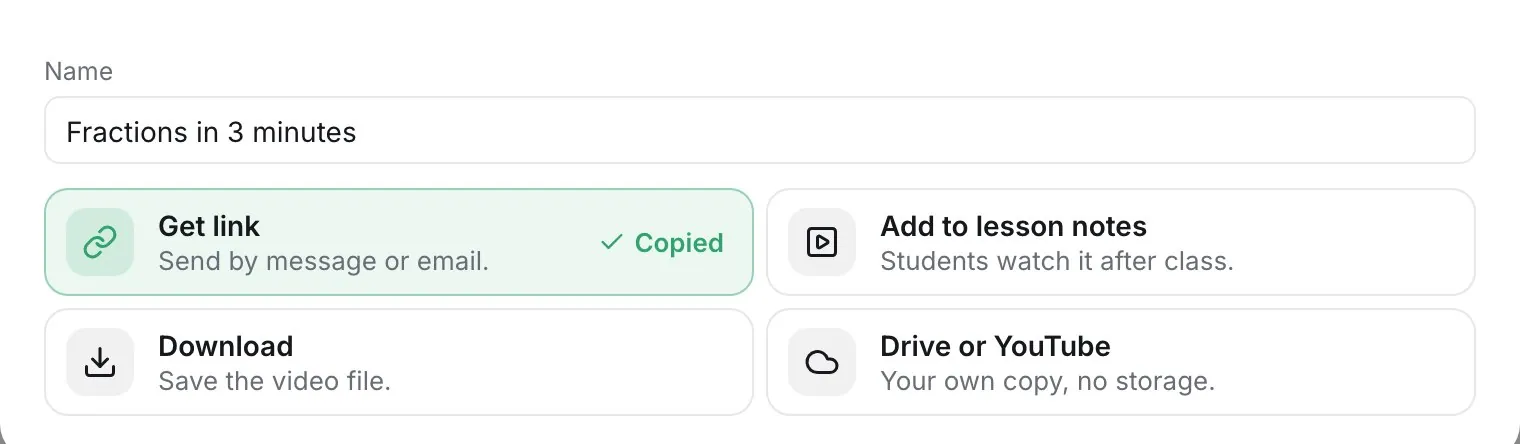
Send it where students already look
Press Get link and send it by message, email or your class page: it opens a clean page with the video, at 1x, 1.5x or 2x. Or put it in the lesson notes, or attach it to homework.
- One link, no account to watch
- In the lesson notes for students and parents
- Attached to homework
Questions
Is it free?
Yes. Recording, downloading and links are free. A video kept online for a link, the lesson notes or homework uses your storage.
Do students need an account to watch?
No. They open the link on a phone, tablet or computer and press play.
How long can a video be?
Up to 3 hours when you're signed in, and 10 minutes when you're not. Short videos of a few minutes are the ones students watch.
Can I make a video for a phone?
Yes. Choose Tall before you record, and the board takes that shape, ready for a phone or a short.
Can I keep it on my own Google Drive or YouTube?
Yes. Download the video, or press Drive or YouTube to add a copy kept on your Drive, Dropbox, OneDrive or YouTube. That uses none of your storage.
Can students record too?
Yes. When a lesson has homework, students can record their own explanation and hand it in with their homework.
What do I need to record?
A computer with Chrome, Edge, Firefox or Safari. Phones and tablets can watch videos but not make them.