Virtual classroom
A virtual classroom
made for lessons.
Most video calls were built for meetings. This one is built around the board: students see what you write, write back, raise a hand, work in groups and answer quizzes, without leaving the lesson.
Free plan with every feature Students join free, no account
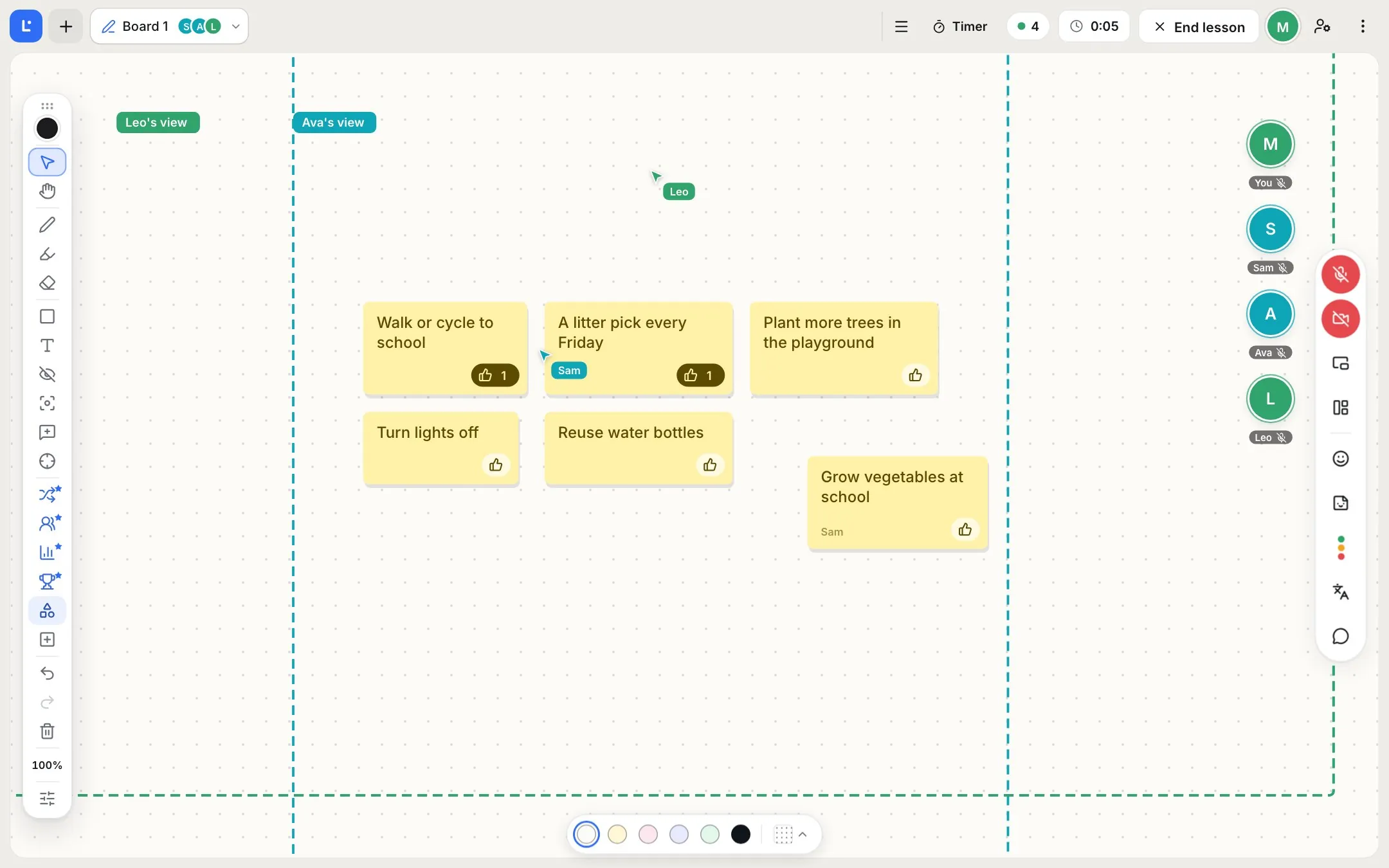
A classroom, not a meeting
A good online lesson feels like a room where everyone can join in. Students see what you write the moment you write it, and they write back on the same board or on their own. You can see who's lost before they say so.
Everything a teacher needs sits in one window: video, the board, quizzes, breakout rooms, a timer and chat. Students join from a link on any device, and you keep control of who can talk, draw and share.
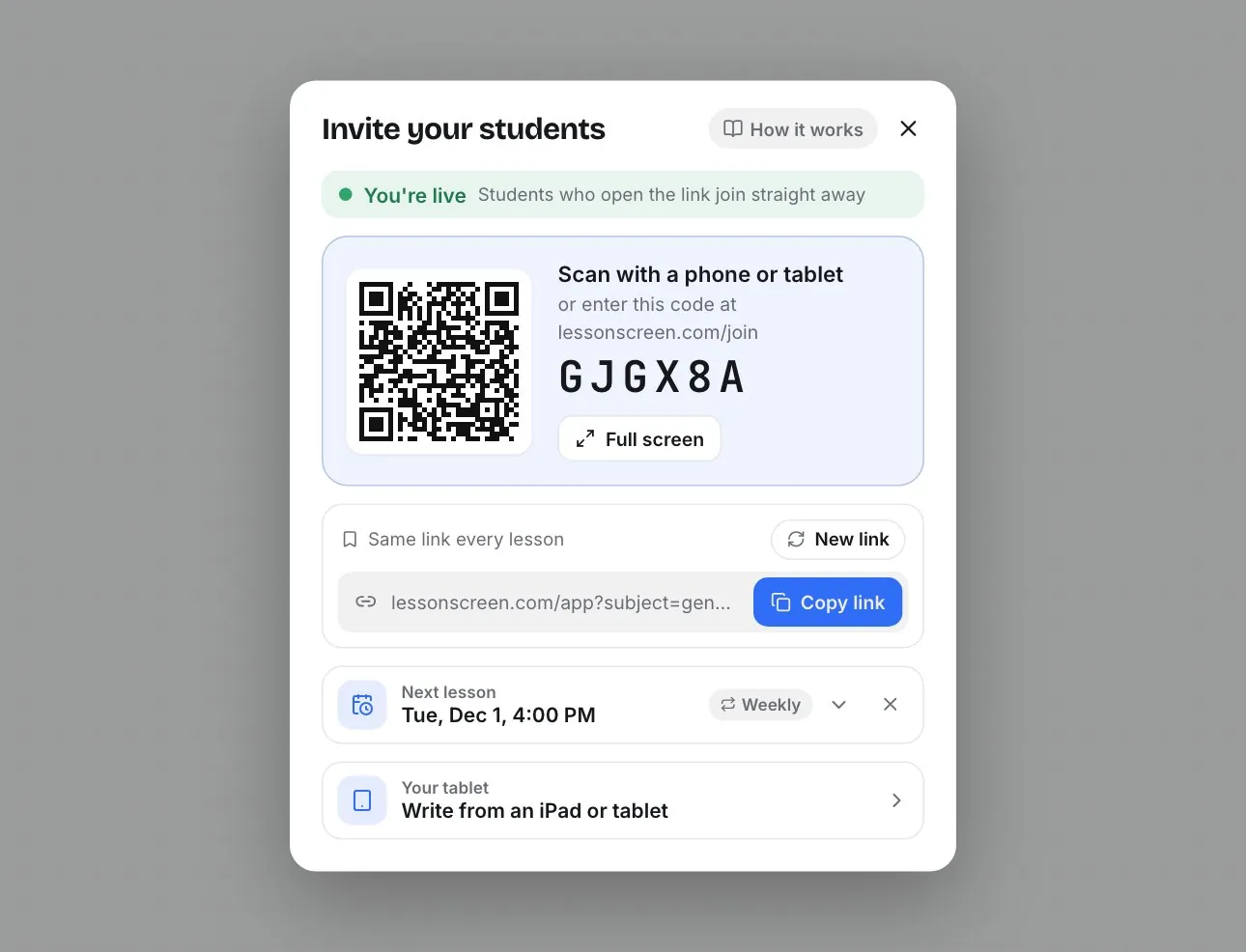
Students are in within seconds
Share a link, a short code or a QR code. Students join from any device, with no app and no account.
- The same link every week
- Draw or watch-only modes
- Nothing to install
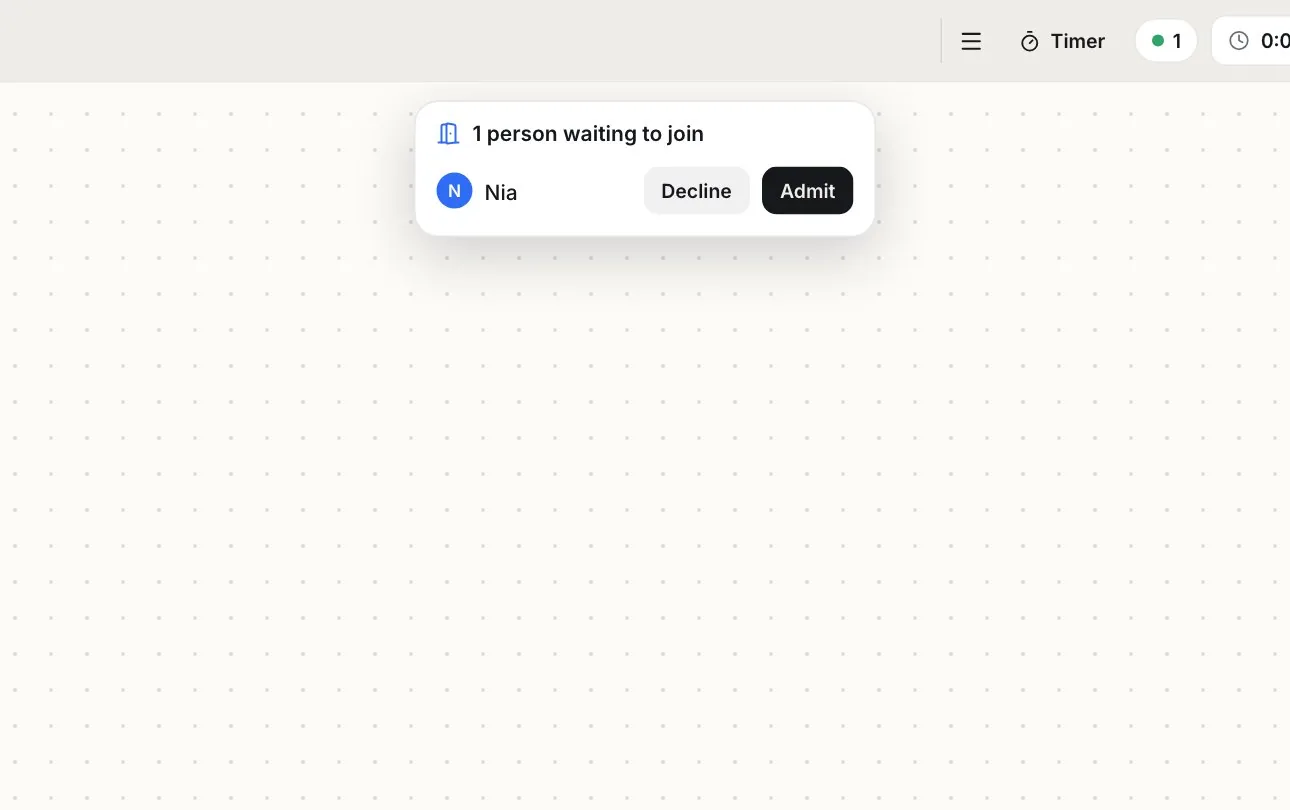
A waiting room and a locked door
Let students in one by one, or set a password. You decide who can talk, draw, share or chat.
- Waiting room and passwords
- Class settings for each permission
- Admit or decline each student
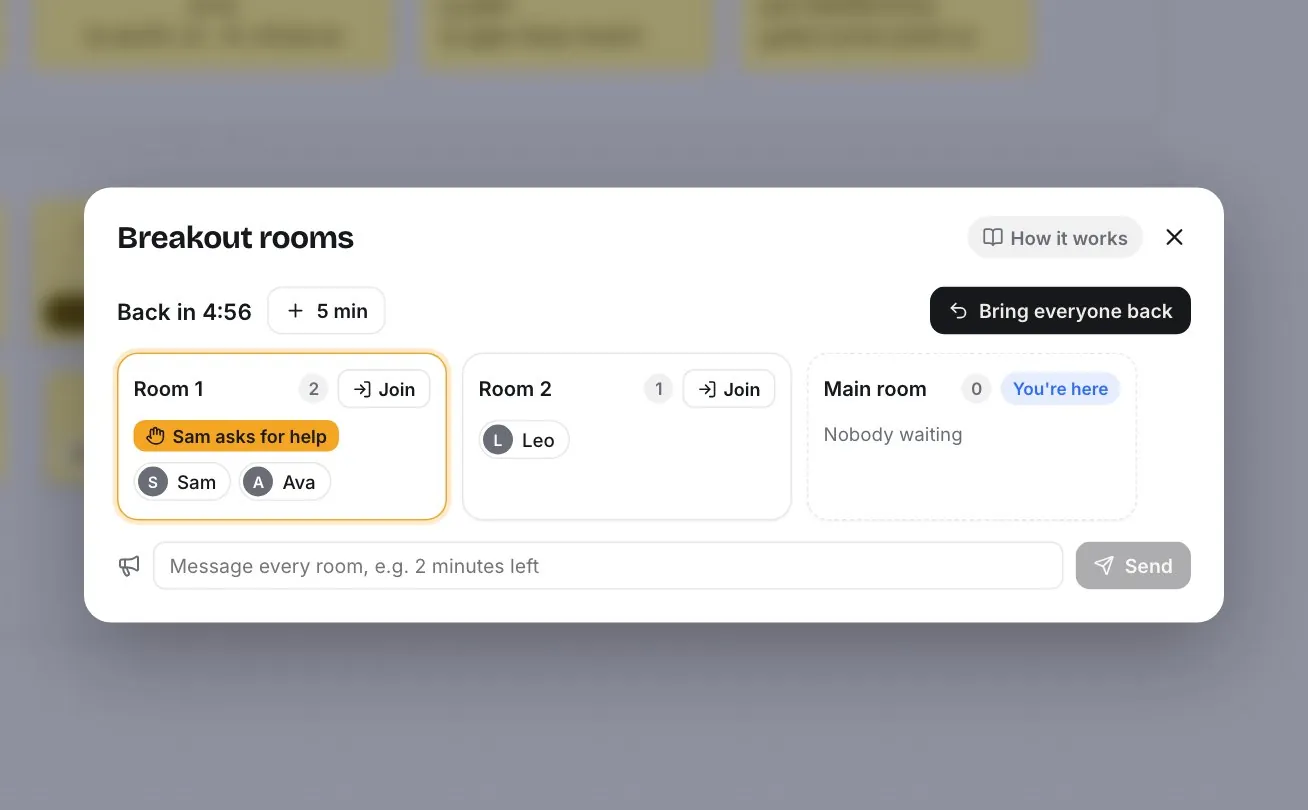
Breakout rooms in two taps
Split the class into rooms, visit any of them, send a message to all, and bring everyone back when the timer ends.
- Random or chosen groups
- Students can ask for help
- Everyone back in one tap
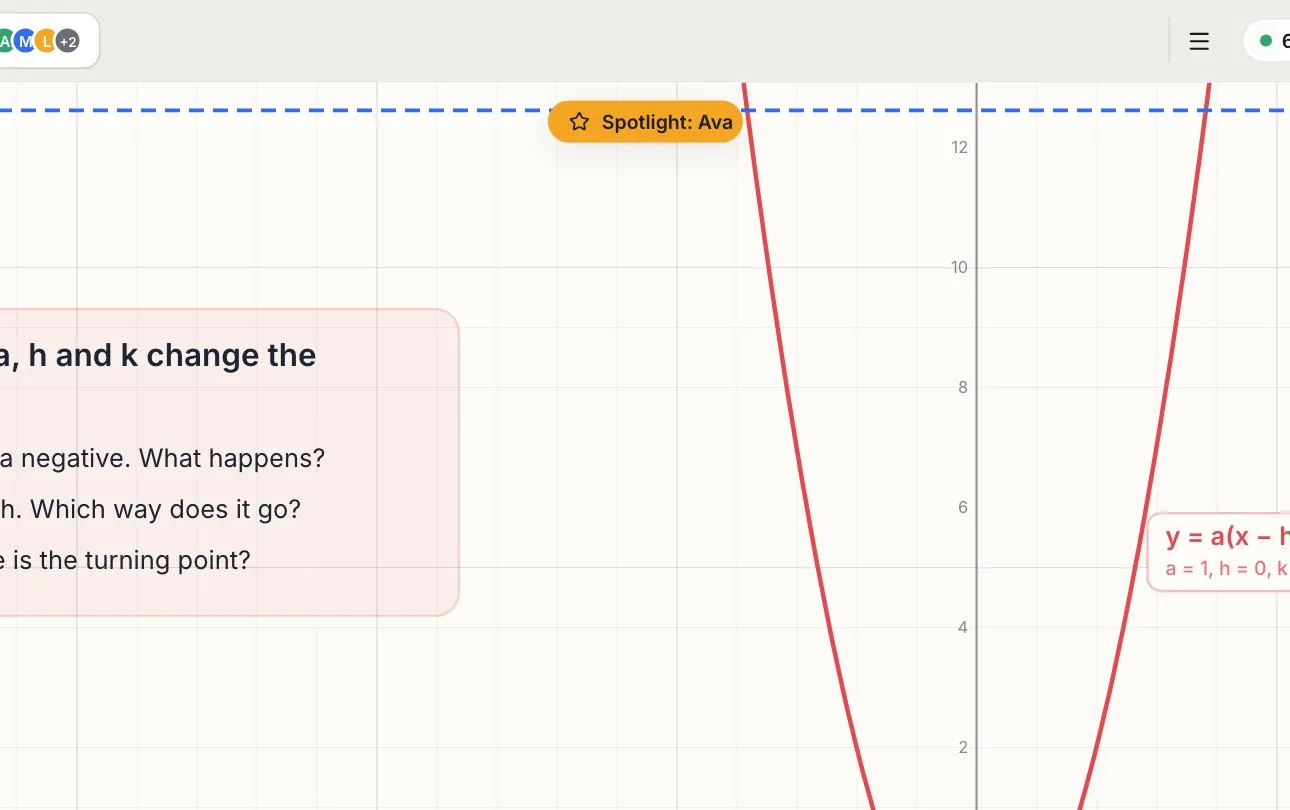
Every eye on the right thing
Spotlight a student, lead the class so every screen follows yours, or focus everyone on one part of the board.
- Lead the class
- Spotlight and trophies
- Focus mode
See the whole room
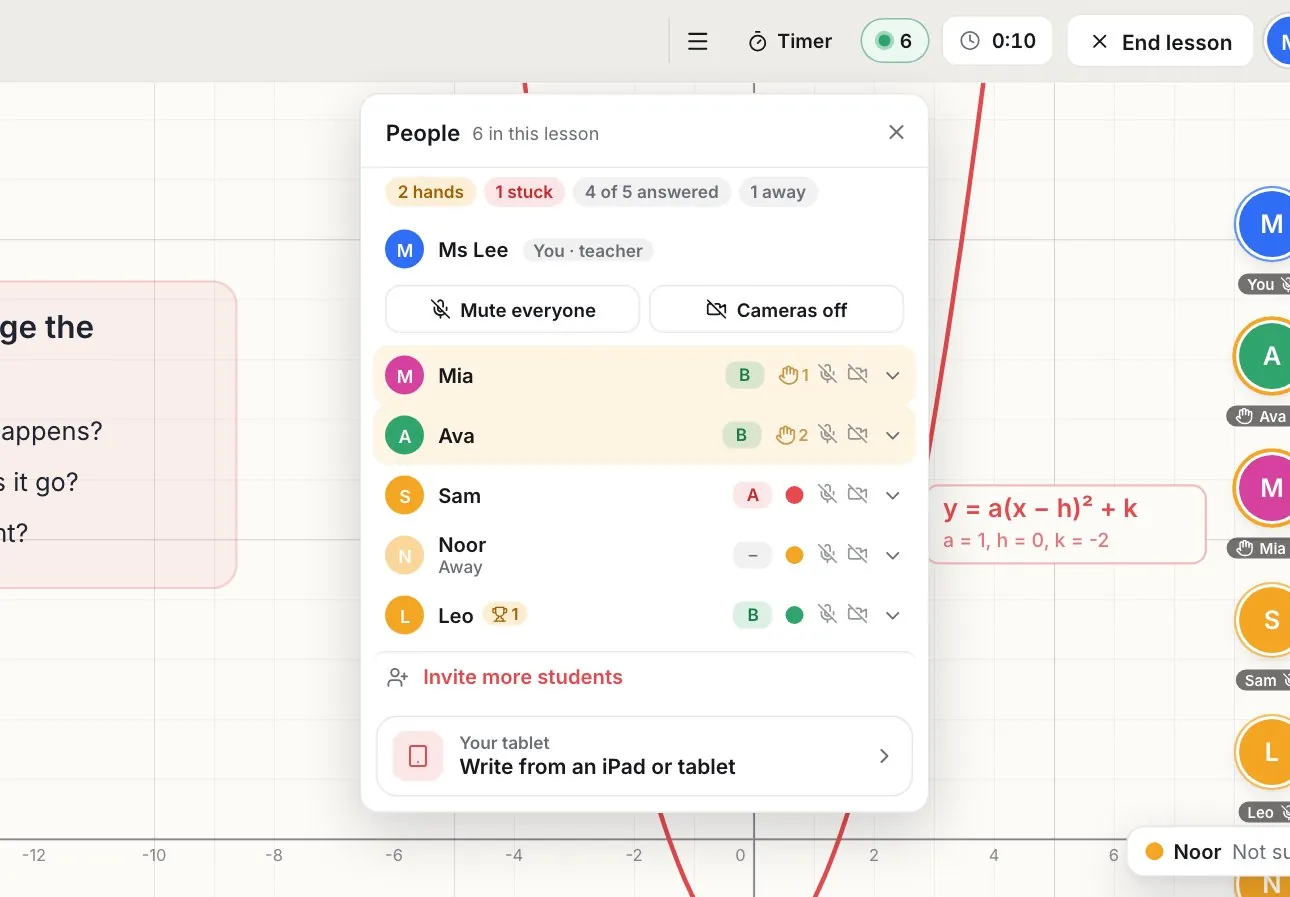
Raised hands in order, who's answered, who's stuck and who's away, in one list.
- Hands, reactions and chat
- Who's stuck
- Several shared screens side by side
Questions
What is a virtual classroom?
A live online lesson space where a teacher and students see and hear each other and work on the same material. Here, that's a shared whiteboard with video, quizzes and groups built in.
Do students need to download anything?
No. It runs in the browser on computers, tablets and phones. Students join with a link, code or QR code.
How long can a lesson be?
As long as you need. The free plan includes 5 hours of live lessons a month, and Pro is unlimited.
Can I record what happened in the lesson?
You get a lesson report with attendance and answers, and lesson notes with a summary of the board. The board itself is saved for next time.
Can students share their screens?
Yes, and you can see several shared screens side by side.
How many students can join?
Up to 5 on the free plan and up to 50 on Pro. Students always join free, with no account.
Can I run the lesson from a tablet?
Yes. Run it from a computer, an iPad or an Android tablet. You can also scan a code to turn your tablet into a pen for the lesson on your computer.
What happens to the board after class?
It's saved. Open it again next lesson with everyone's work still on it, share it by link, or turn it into lesson notes.