Online whiteboard for kids
A whiteboard young
children love to use.
Big, friendly tools for little hands: trace letters, hear words read aloud, follow the day's schedule and play a game at the end. Children join with a code, with no account and nothing to install.
Free plan with every feature Students join free, no account
Simple enough for small hands
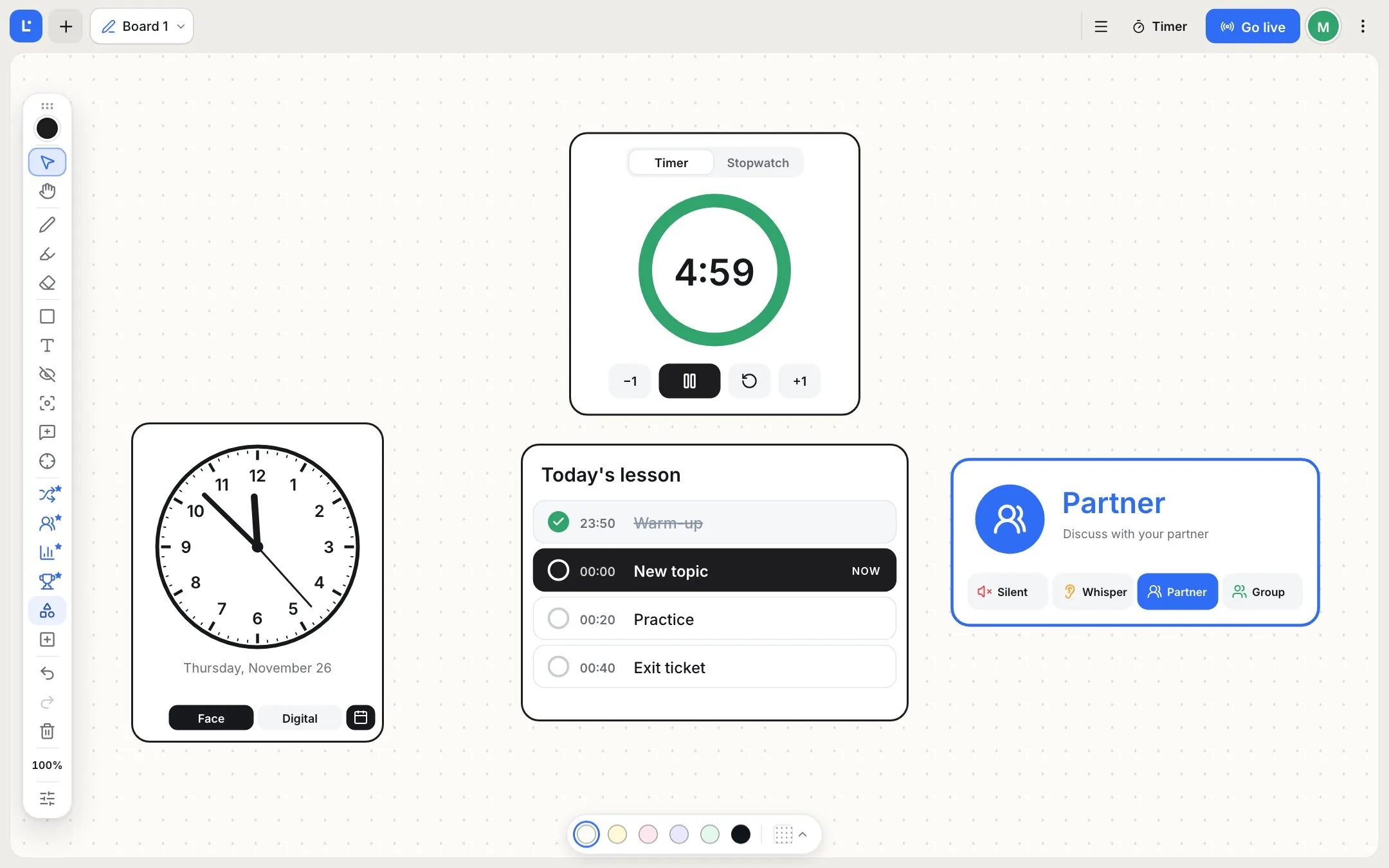
Young children need big buttons, clear pictures and very little to read. The board keeps it simple: tap to hear a word, trace a letter with a finger, watch the timer count down and see what comes next on the day's plan.
You stay in charge of the screen. Choose who can draw or talk, bring every screen back to yours with one tap, and celebrate good work with confetti or a trophy. Children join with a short code, so there's no email or password to remember.
The classroom routine on screen
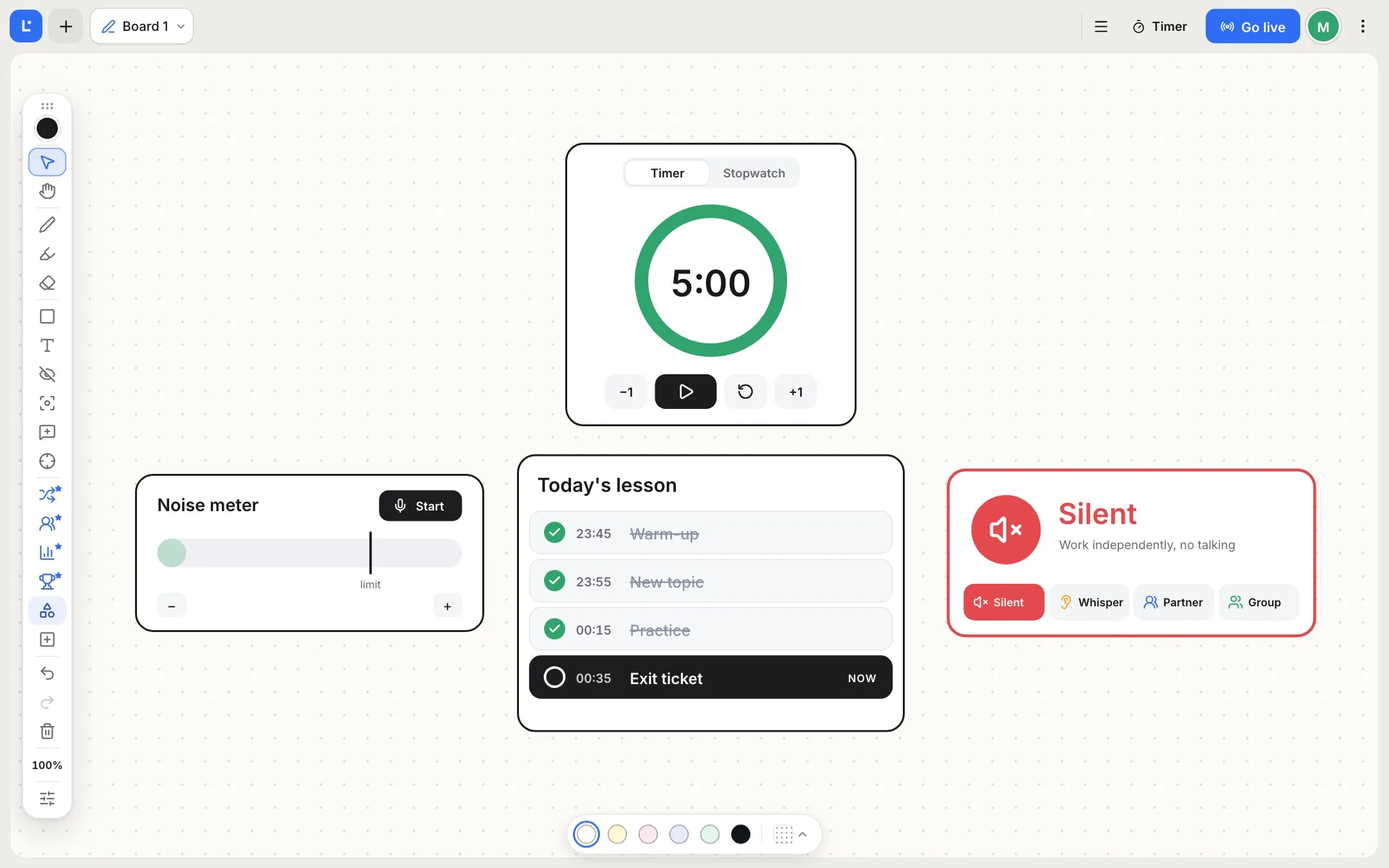
A visual schedule that shows what's now, a big timer, work mode for silent, whisper, partner or group work, and a noise meter that listens to the room.
- Visual schedule
- Timer and stopwatch
- Work mode and noise meter
Letters to trace, words to hear
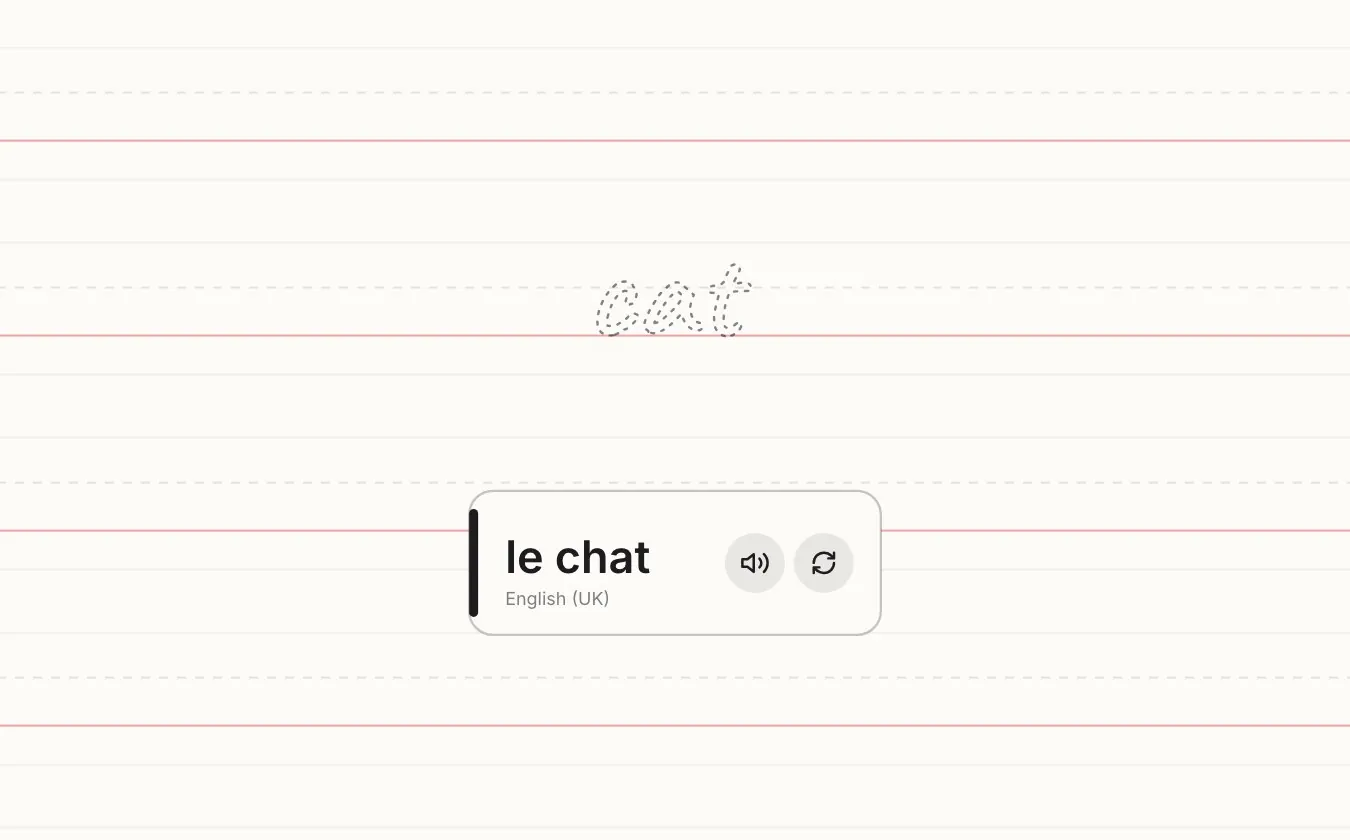
Put dotted letters on handwriting lines for children to trace with the pen, and word cards they tap to hear said aloud.
- Letter tracing on handwriting lines
- Word cards that speak
- Works with a tablet and pencil
Games for the end of the lesson
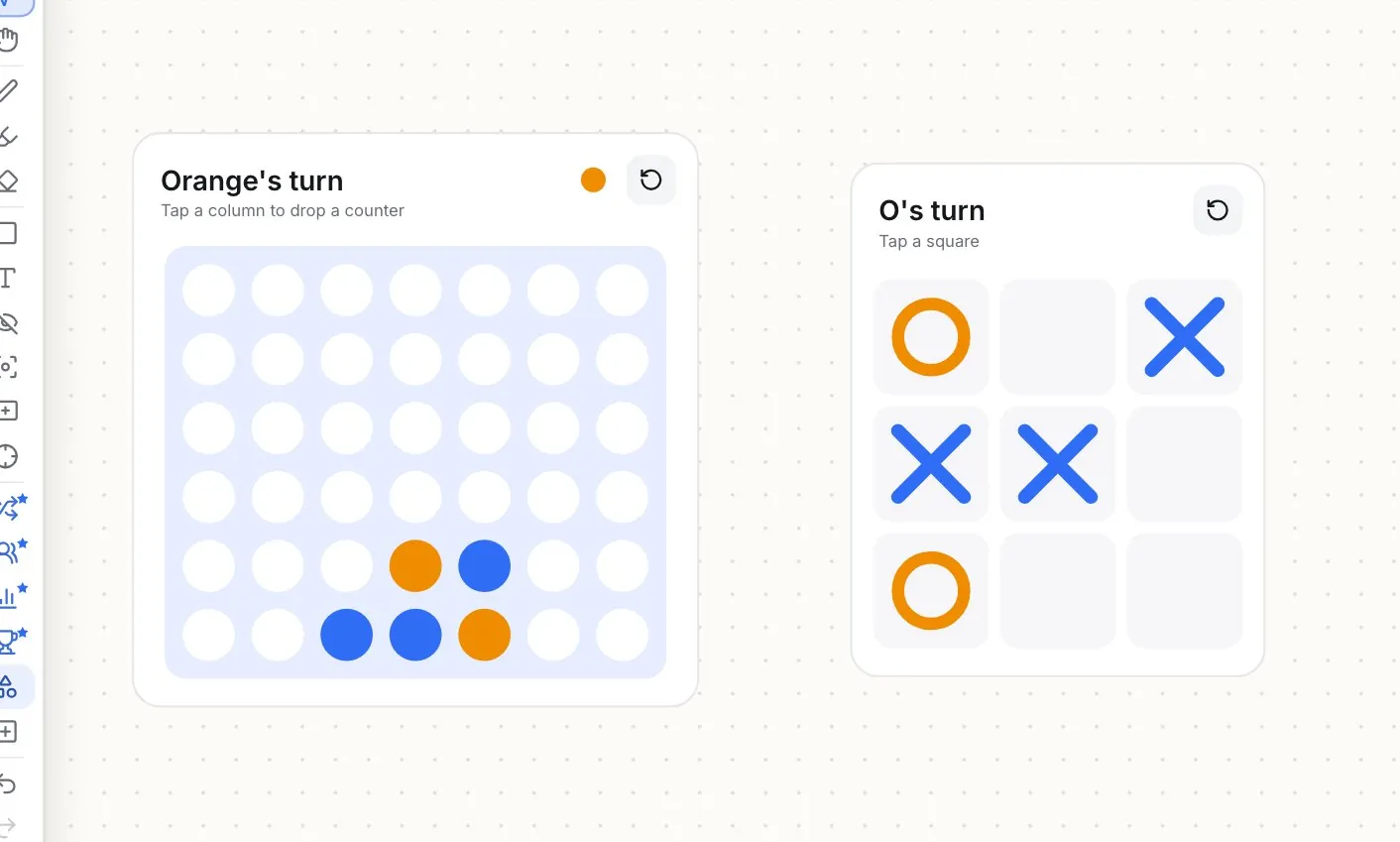
Tic-tac-toe, four in a row and mystery word on the board, plus quizzes and team games children play on their own devices.
- Games on the board
- Live quizzes and team games
- Confetti and trophies to celebrate
Every classroom tool in a tap
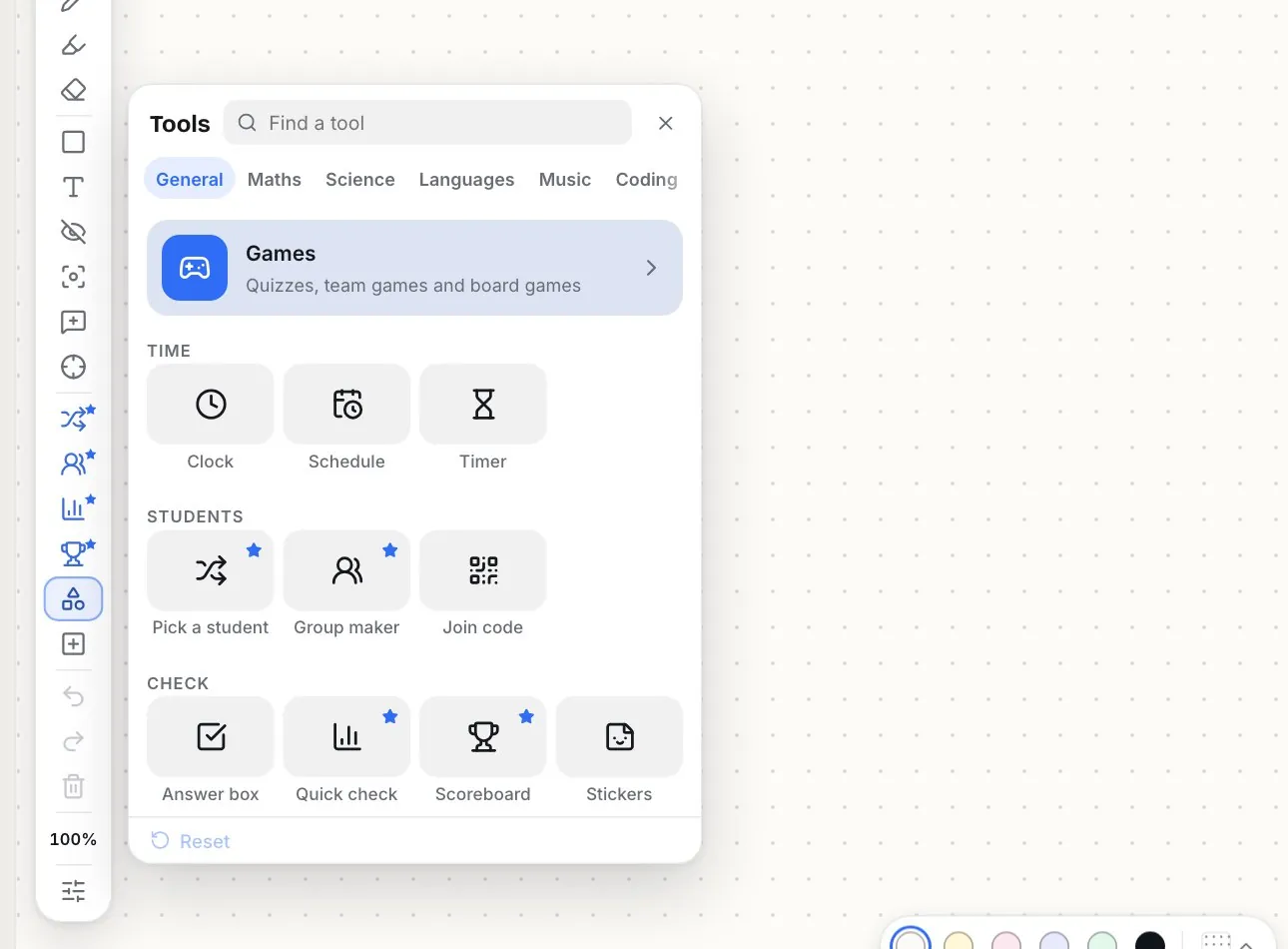
A name picker, a group maker, a scoreboard, a clock and a quick traffic light for how it's going.
- Pick a student
- Make groups
- How's it going?
Questions
Do children need an account or an email?
No. Children join with a link or a short code and type their first name. Nothing to install.
Does it work on tablets?
Yes. It runs in the browser on iPads and Android tablets, and writing with a pencil or a finger works.
Are there ready-made screens for the school day?
Yes. Morning check-in, the day's plan, brain breaks, classroom jobs, number bonds, times tables and more, each one click to open.
Can I control what children can do?
Yes. Choose who can draw, talk or chat, and lead the class so every screen follows yours.
Is it safe for children?
Children join with a code and a first name only, with no account and no email. You choose who can draw, talk or chat, and you can let students in one by one.
Can I use it in the classroom, not online?
Yes. Put it on the classroom screen for the schedule, the timer and games, and let children join from tablets when you want them to take part.
Are there brain breaks?
Yes. Brain break screens, a noise meter and short games give children a moment to move and reset.