Online whiteboard for tutors
Tutor online,
like you're side by side.
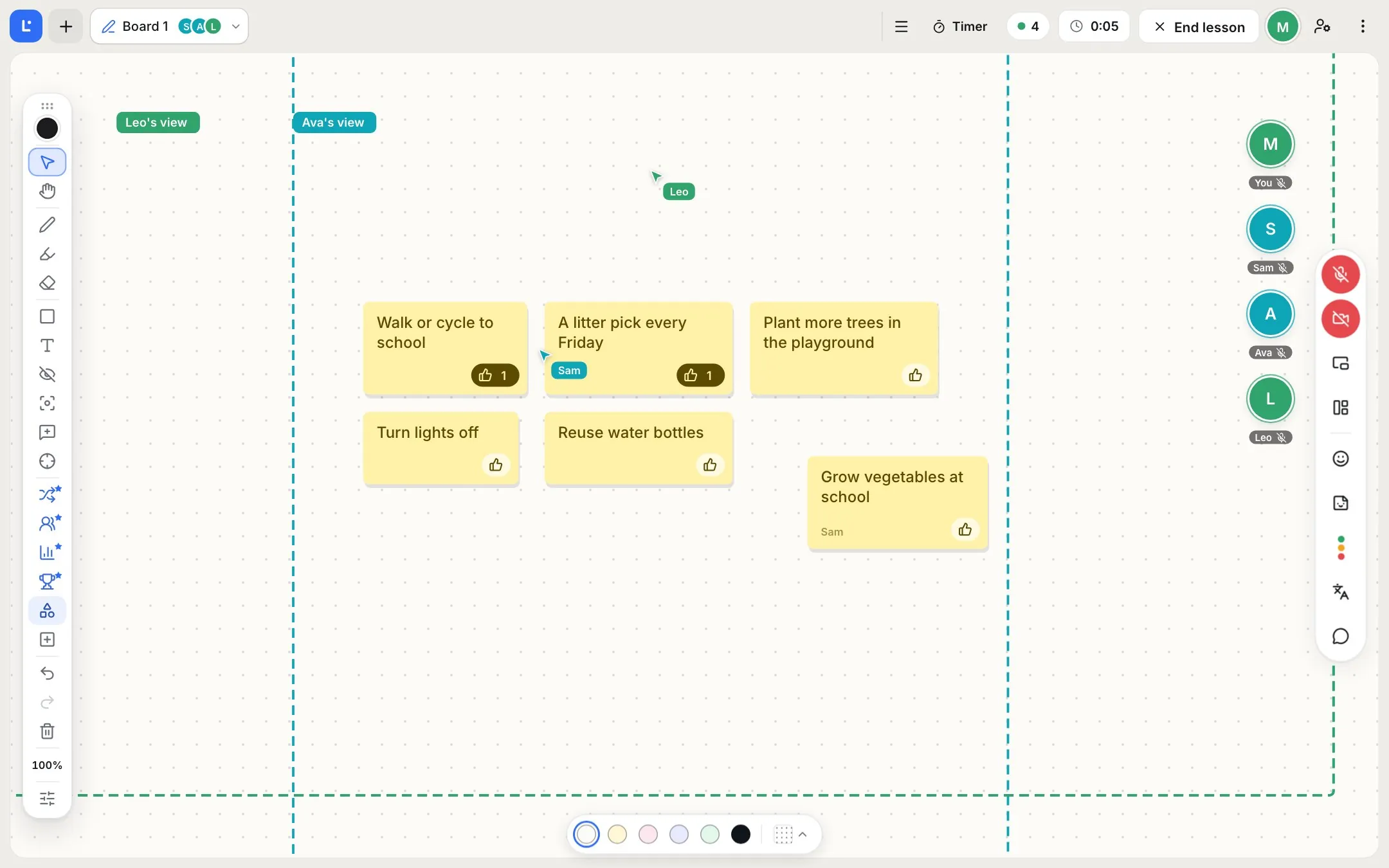
Each student gets one link that works every week, and their board is still there next time. Video, the whiteboard, worksheets and games all sit in one window, so you're not juggling tabs during the lesson.
Free plan with every feature Students join free, no account
Made for the way tutors work
Tutoring means the same students week after week, often in different subjects and time zones. Lesson Screen keeps each student's board, link and notes together, so a lesson starts where the last one stopped instead of with five minutes of hunting for files.
It works as well for one maths student on an iPad as for a small group working toward the same exam. Start on the free plan, see how it fits your week, and move to Pro when you teach more than 5 hours live a month.
Pick up where you left off
Every lesson is saved. Open next week's session on last week's board, with their work still on it, and the class link stays the same.
- One link per student or class, the same every week
- Lessons kept on every device with Pro
- Lesson notes and a PDF to send home
Teach from the worksheets you already have
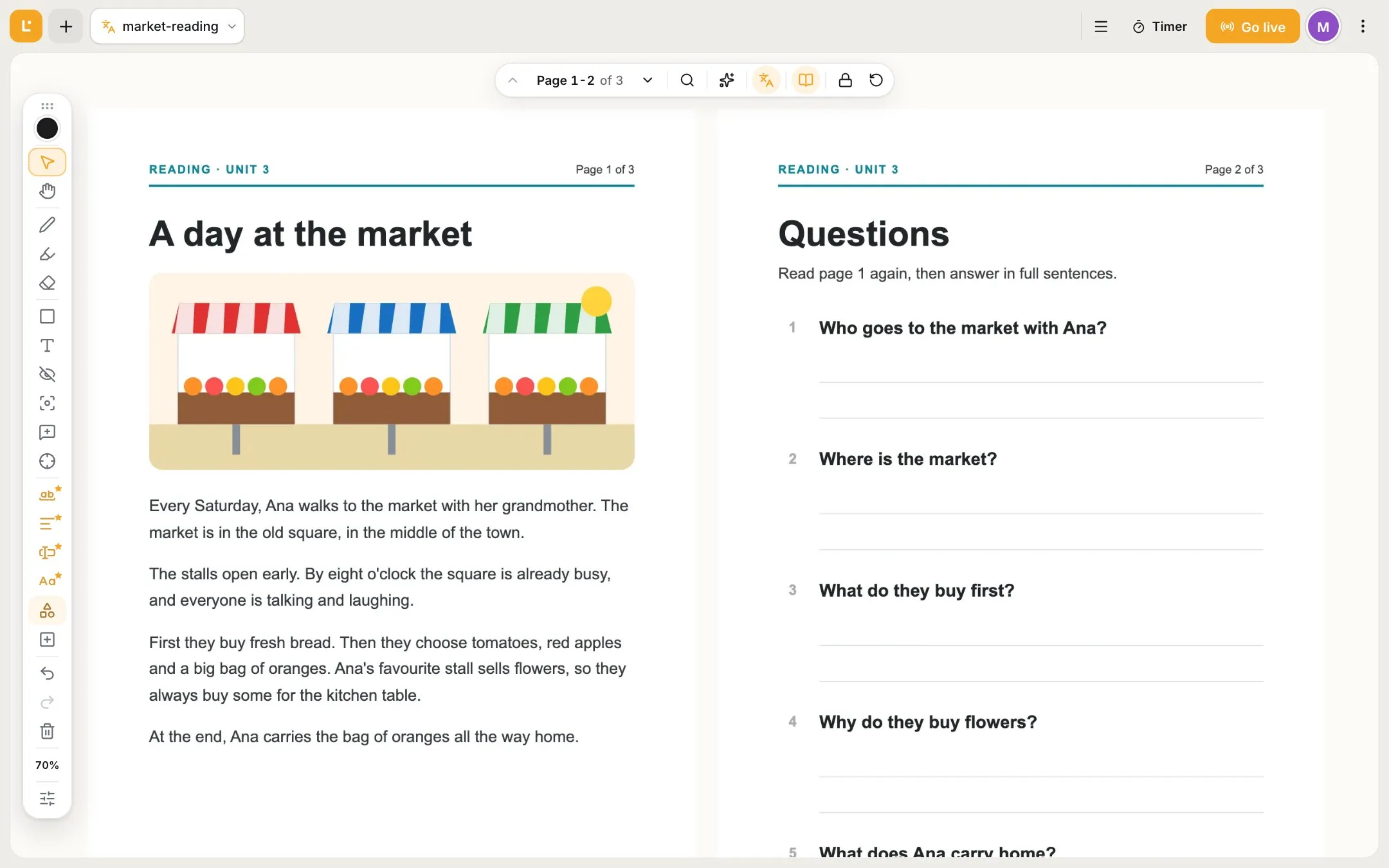
Drop in a PDF, Word file, slides or a spreadsheet. It comes in as one card with its pages, ready to write on together. Cover an answer and reveal it, or zoom everyone to one question.
- PDF, Word, slides and Excel
- Videos and websites on the board
- Ask AI to explain a page or make a quiz from it
Your own tutor page
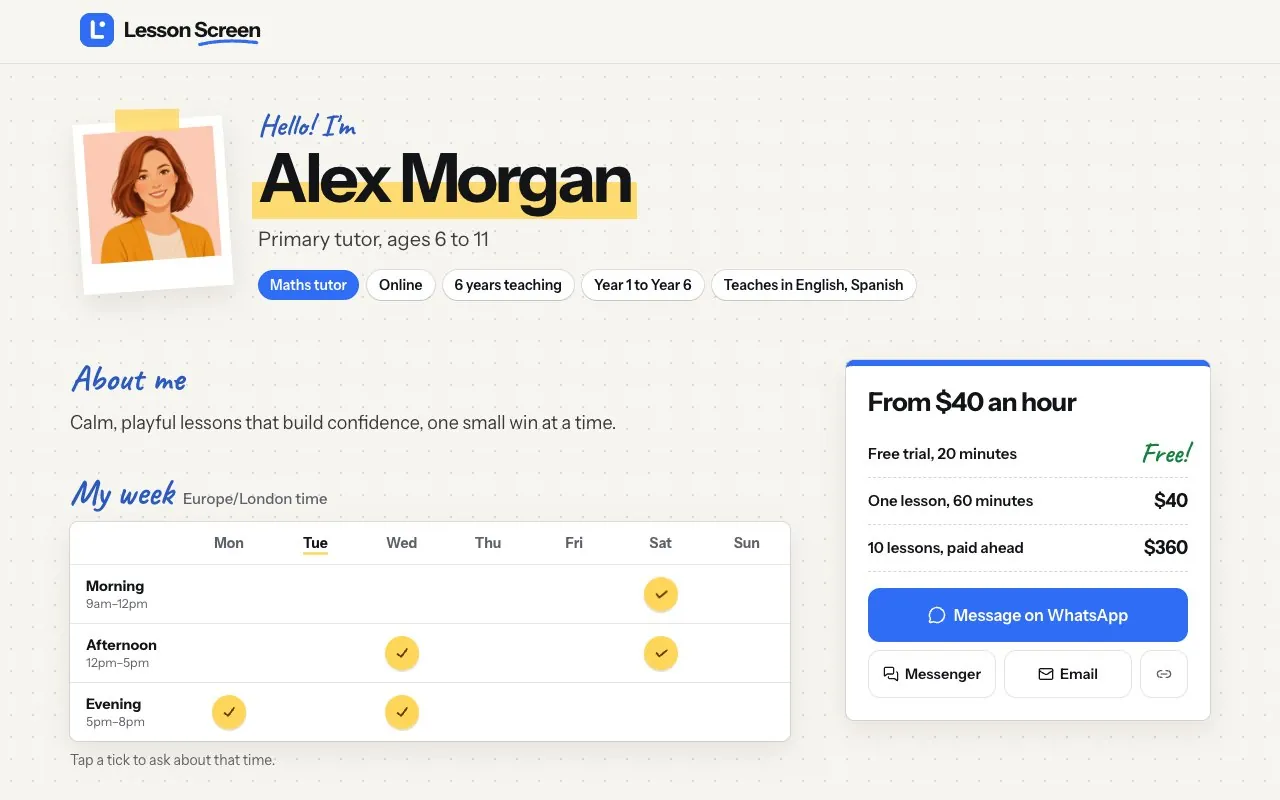
Share a page with your subjects, prices and the times you teach, plus a QR code. Families message you straight from it.
- Lessons, prices and free trials
- Your week at a glance
- Contact by WhatsApp, Messenger or email
Tools for the subject you teach
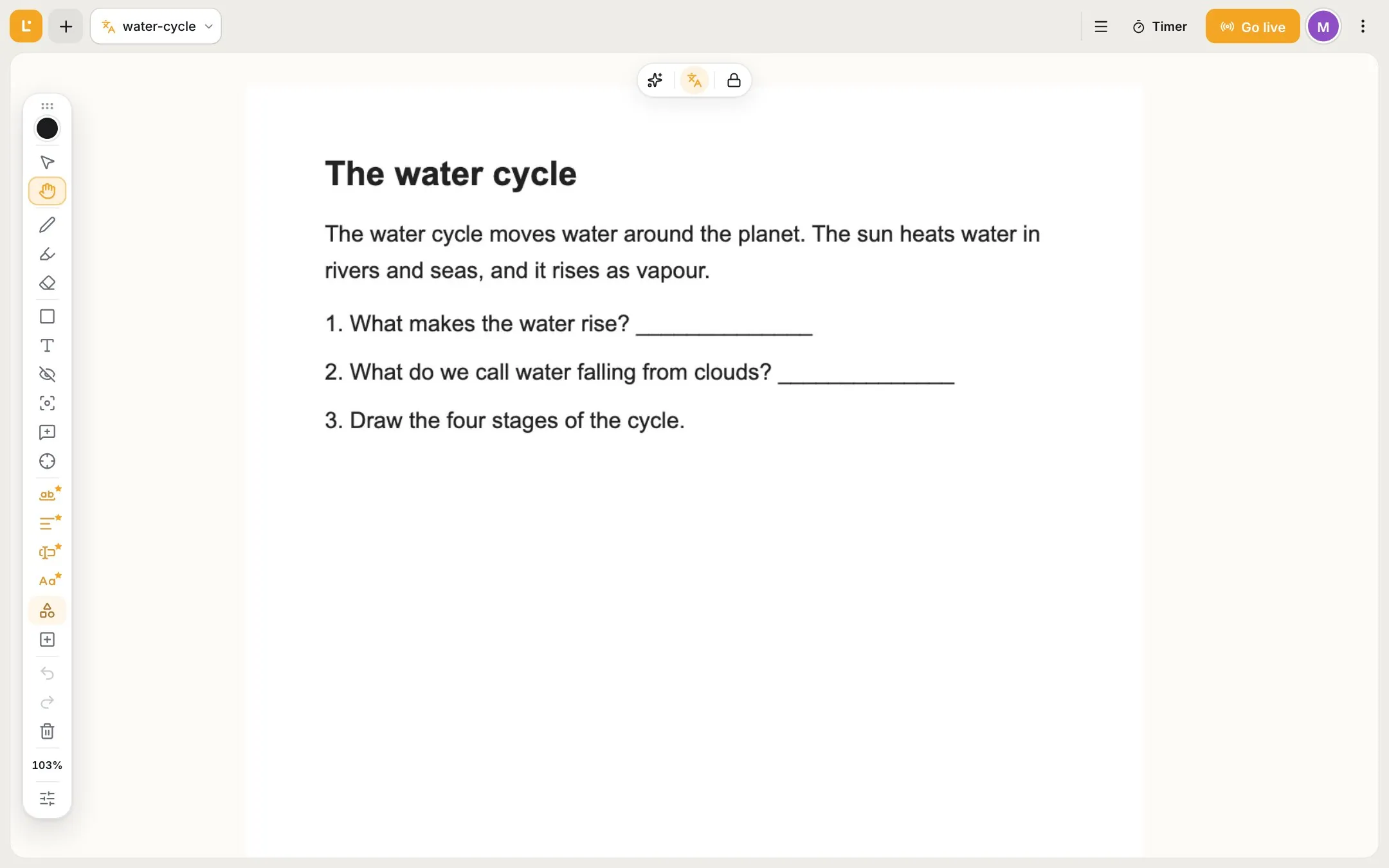
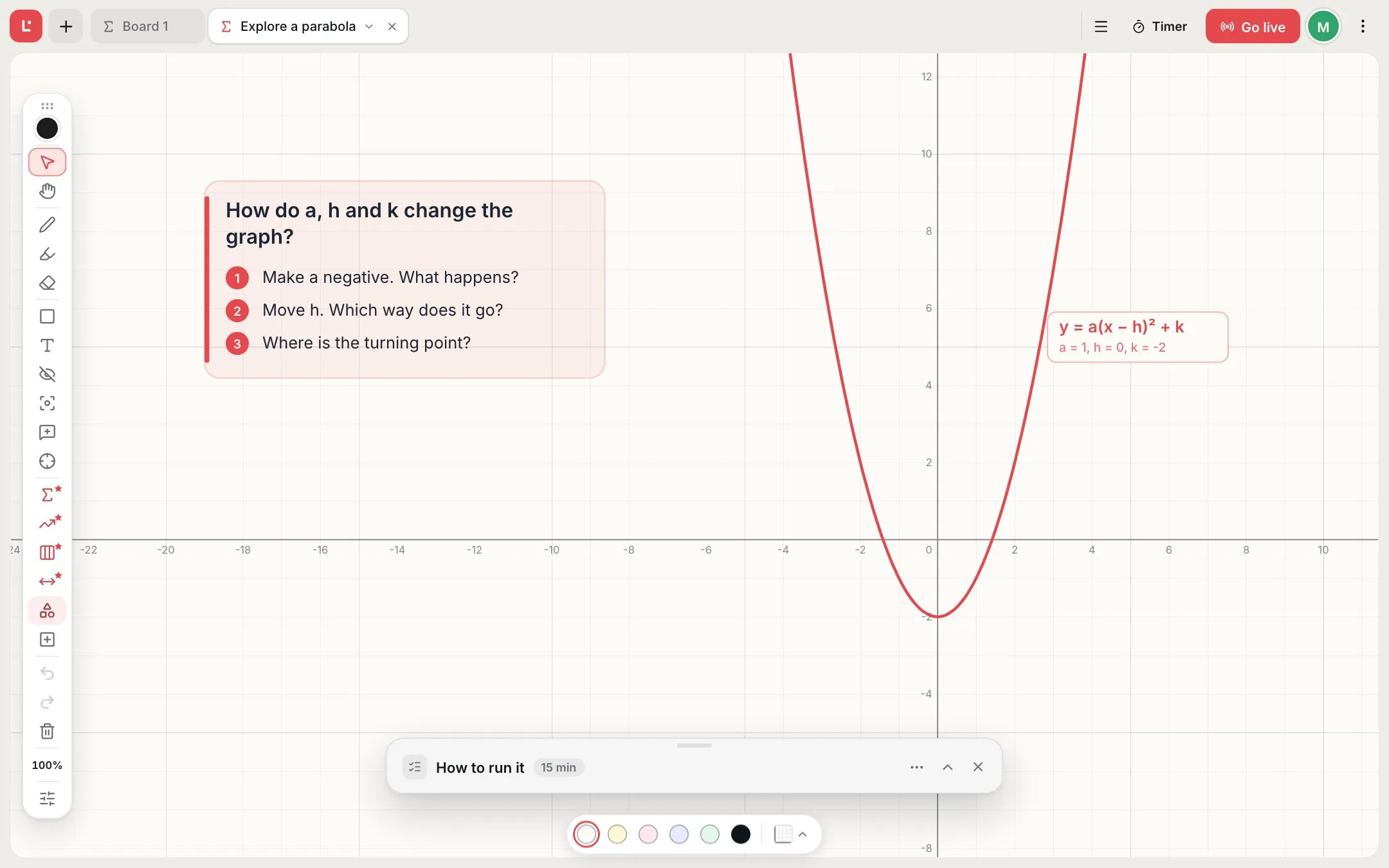
Graphs with sliders, equations, a periodic table, a piano, letter tracing, code that runs: 73 tools, each in a tap.
- Maths, science, languages, music and coding
- Works with a tablet and pencil
- Ready-made lesson starters
Notes that write themselves
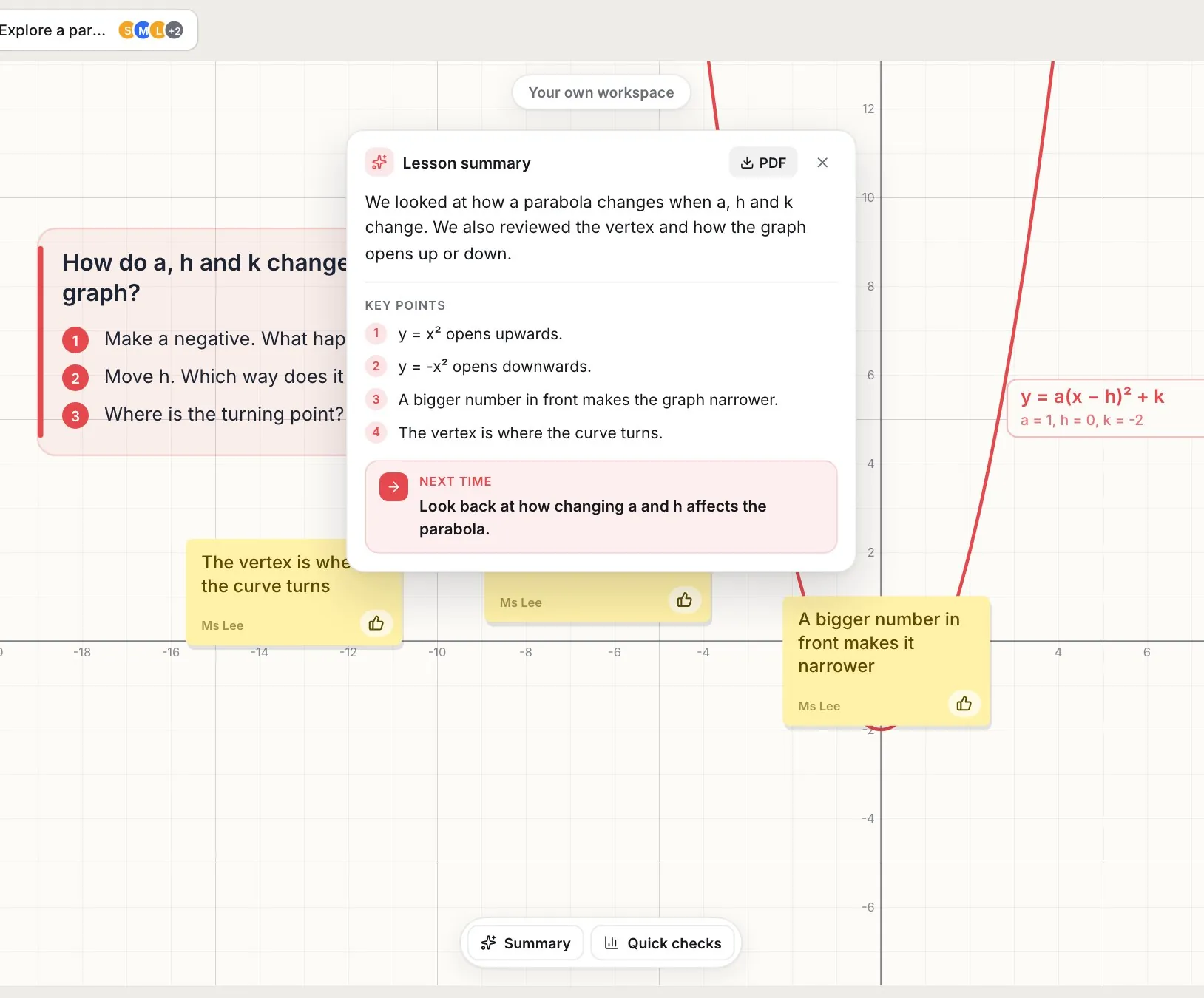
At the end, the board turns into a short summary with what you covered and what to practise. Send it to the student or their parents.
- AI lesson summaries
- A lesson report with attendance and answers
- Everything stays on your board
Questions
Is it free for tutors?
Yes. The free plan has every feature, 5 hours of live lessons a month and up to 5 students. Pro is $12 a month, or $99 a year, for unlimited lessons. Students always join free.
Do my students need an account?
No. They open your link or type the class code, on a computer, tablet or phone. Nothing to install.
Can I use it with a tablet and pencil?
Yes. It runs in the browser on iPads and Android tablets, with pencil pressure, so writing feels like paper.
Do I still need a video call app?
No. Video, sound, screen sharing and chat are built into the lesson, in the same window as the board.
Can I teach one-to-one and small groups?
Both. Give each student their own class link, or one link for a group. Each student can also have their own board that you can see and help on.
Can parents see what we covered?
Yes. When a lesson ends, the board turns into a short summary of what you covered and what to practise next. Send it to the student or their parents in one tap.
Can I make a video for a student to watch later?
Yes. Record your board with your voice and camera, then download the video or add it to the lesson notes or homework.